
Add New User#
These instructions are generally applicable to any page that has a a Add New User Button.
To add a New User:
Click the New User button at the top right of the screen.
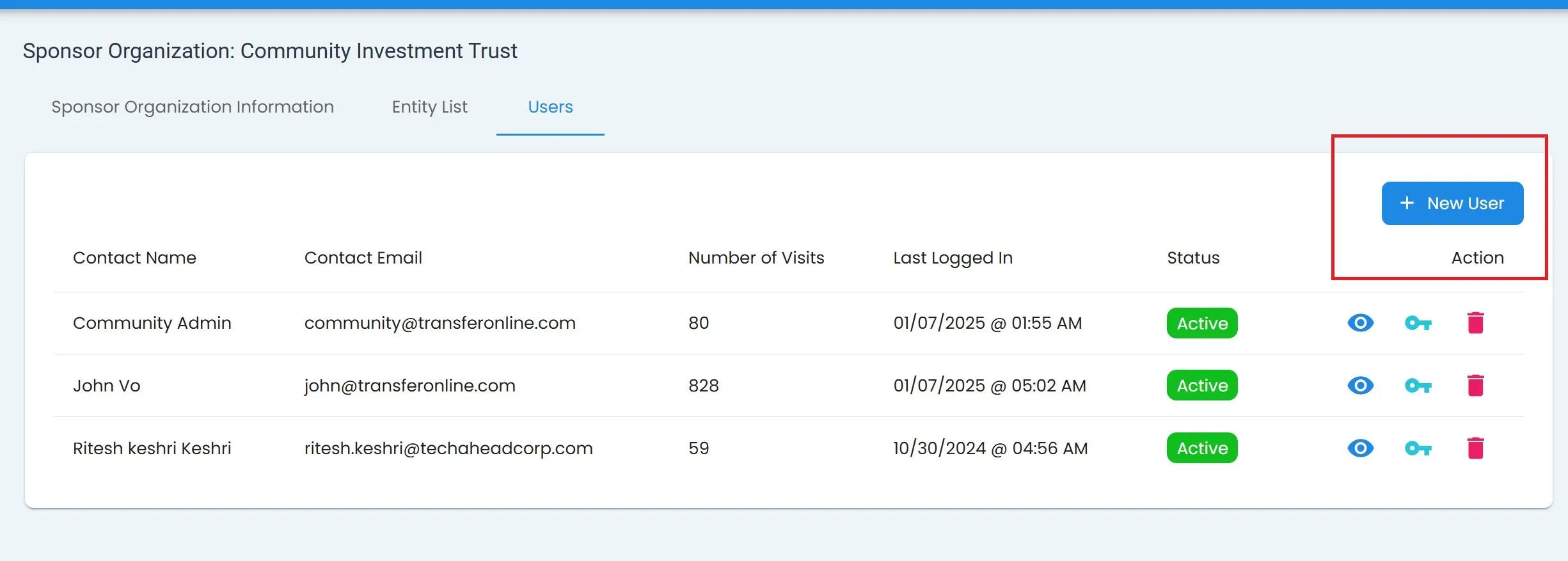
Sponsorship Organization, Users Tab, New User Location#
Fill out the required fields.
Note
All three fields are required:
Email
First Name
Last Name
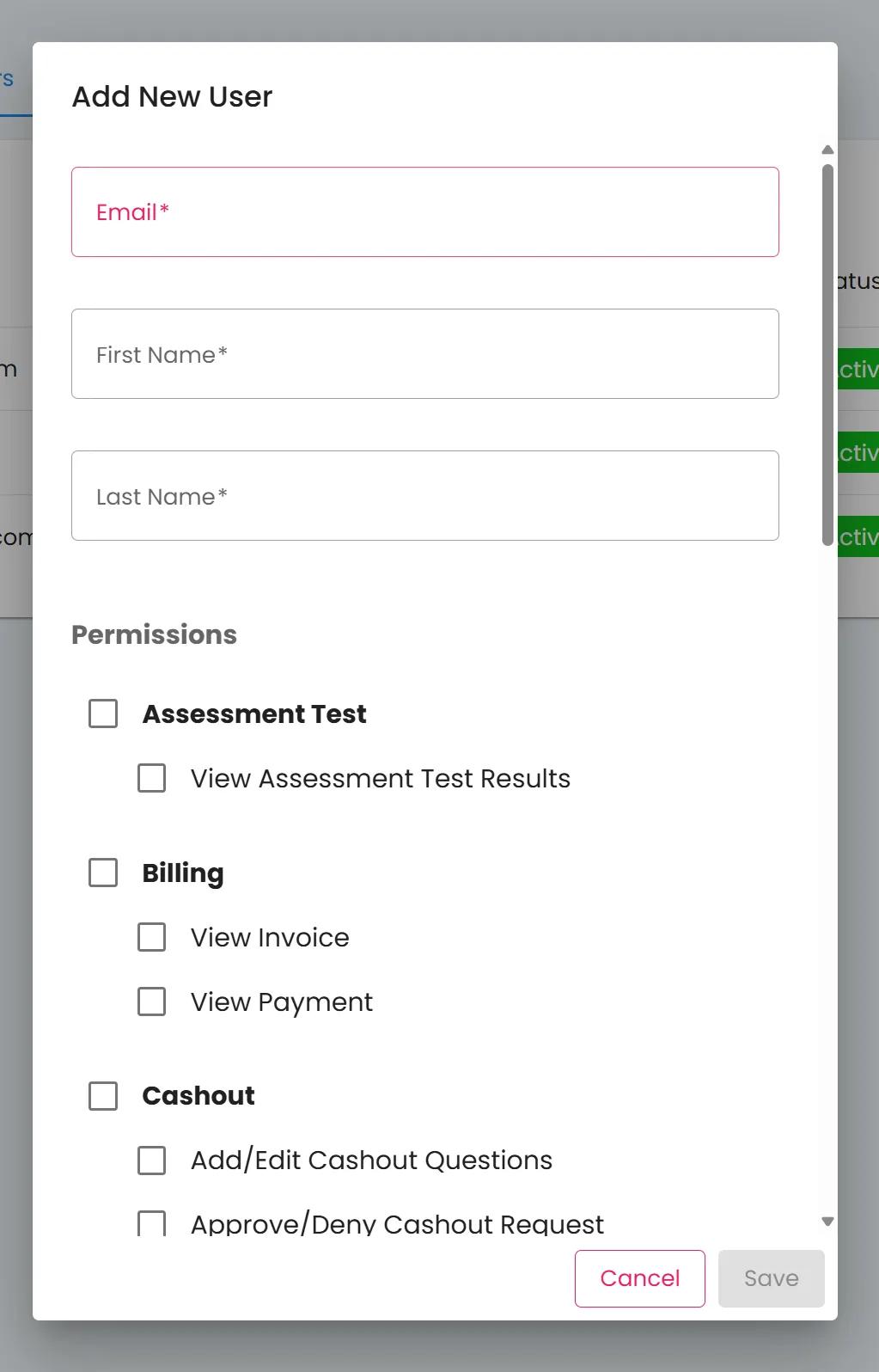
Sponsorship Organization, Users Tab, Add New User Popup#
Select desired permissions for the new user.
Note
Possible permissions vary depending on the type of account you are adding.
Click Save to add the new user.
Action Complete
The new user has been added to the system.