
Invoices#
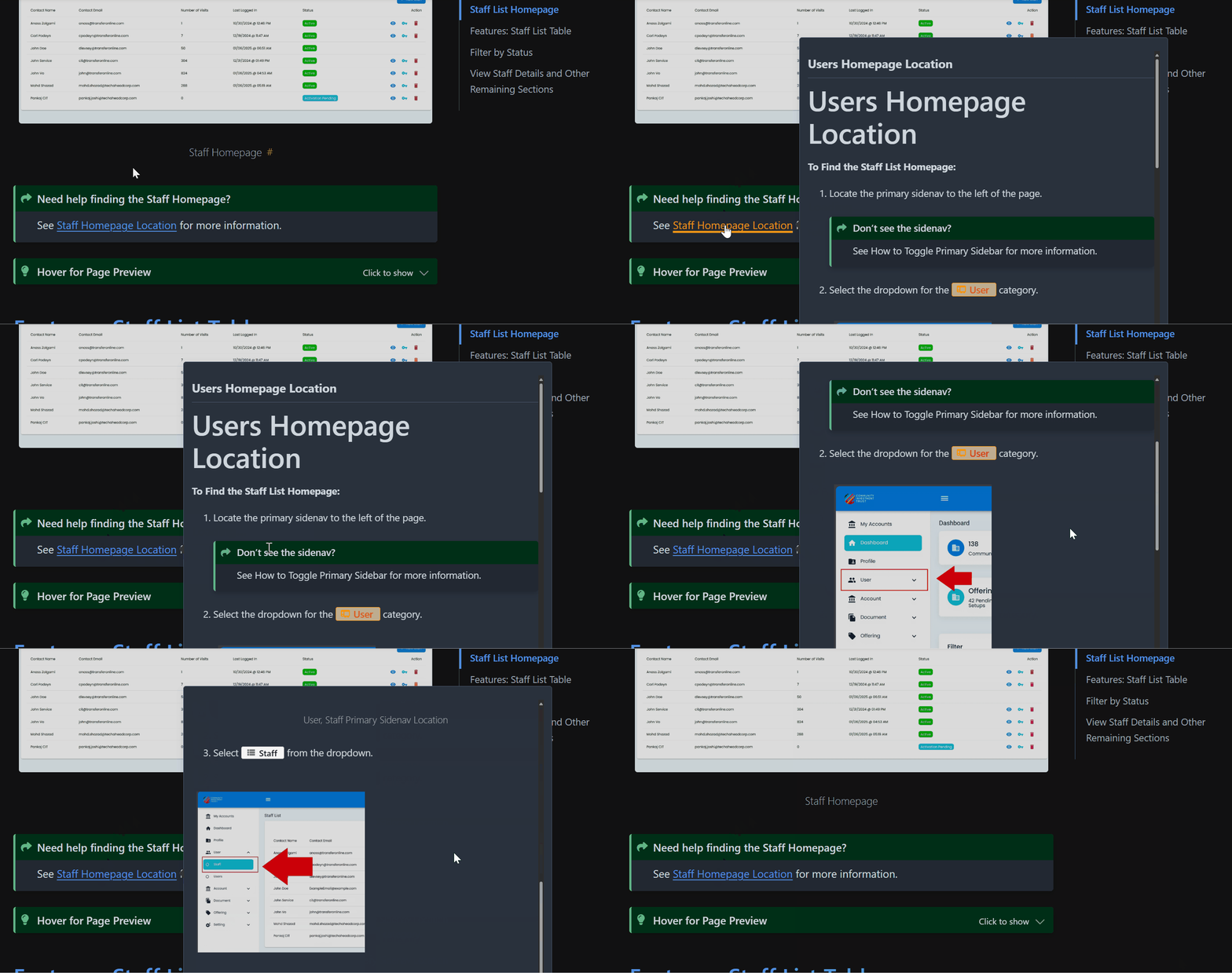
The Section: Invoices section covers everything listed in the Table of Contents below:
Hover for Page Preview
Hover over the links for a page preview.
 _
_
Invoices Homepage#
The Section: Invoices section opens up to the Table: Invoices List table:
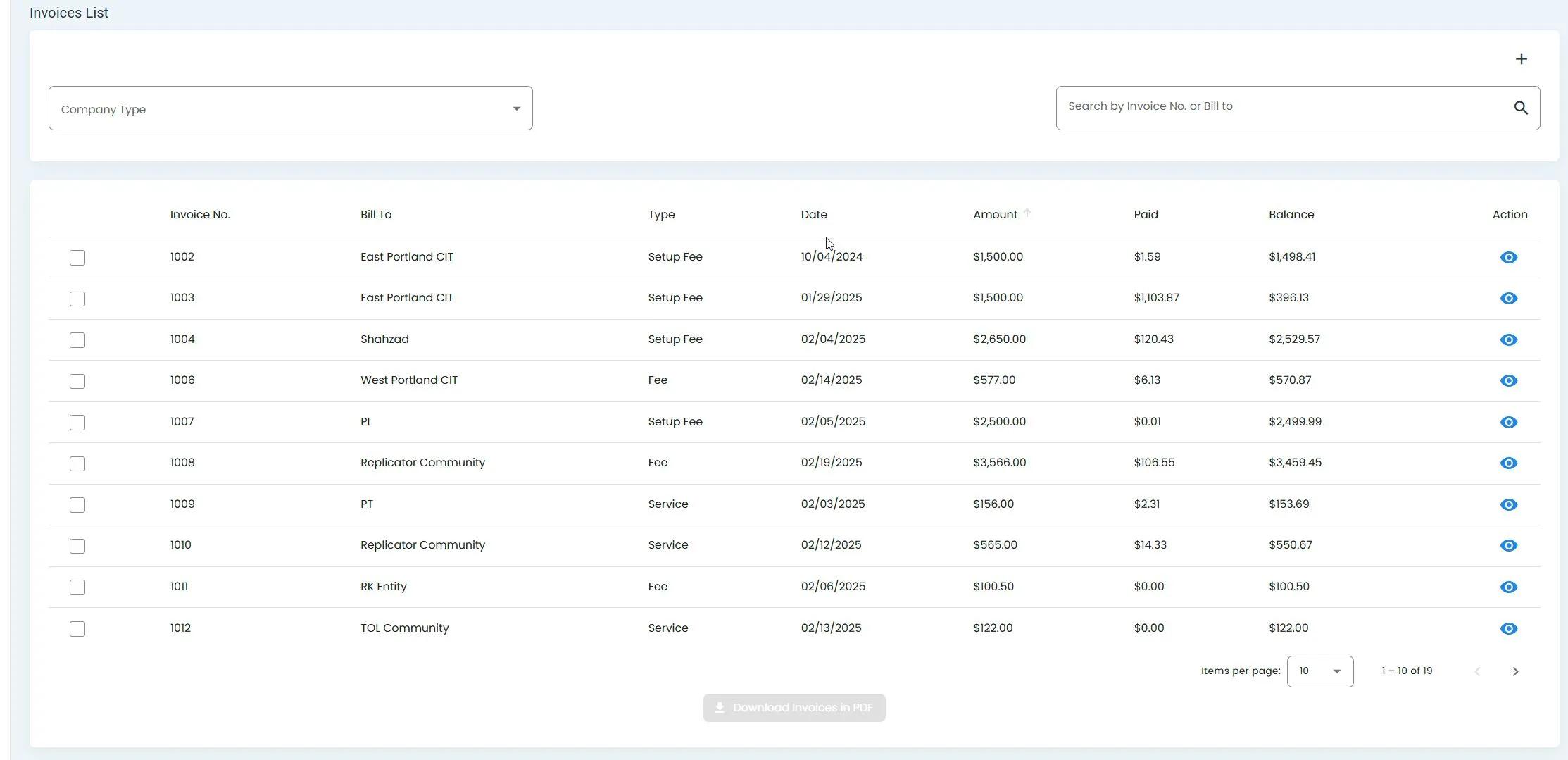
Billing, Invoices, Homepage#
Columns: Invoices List Table#
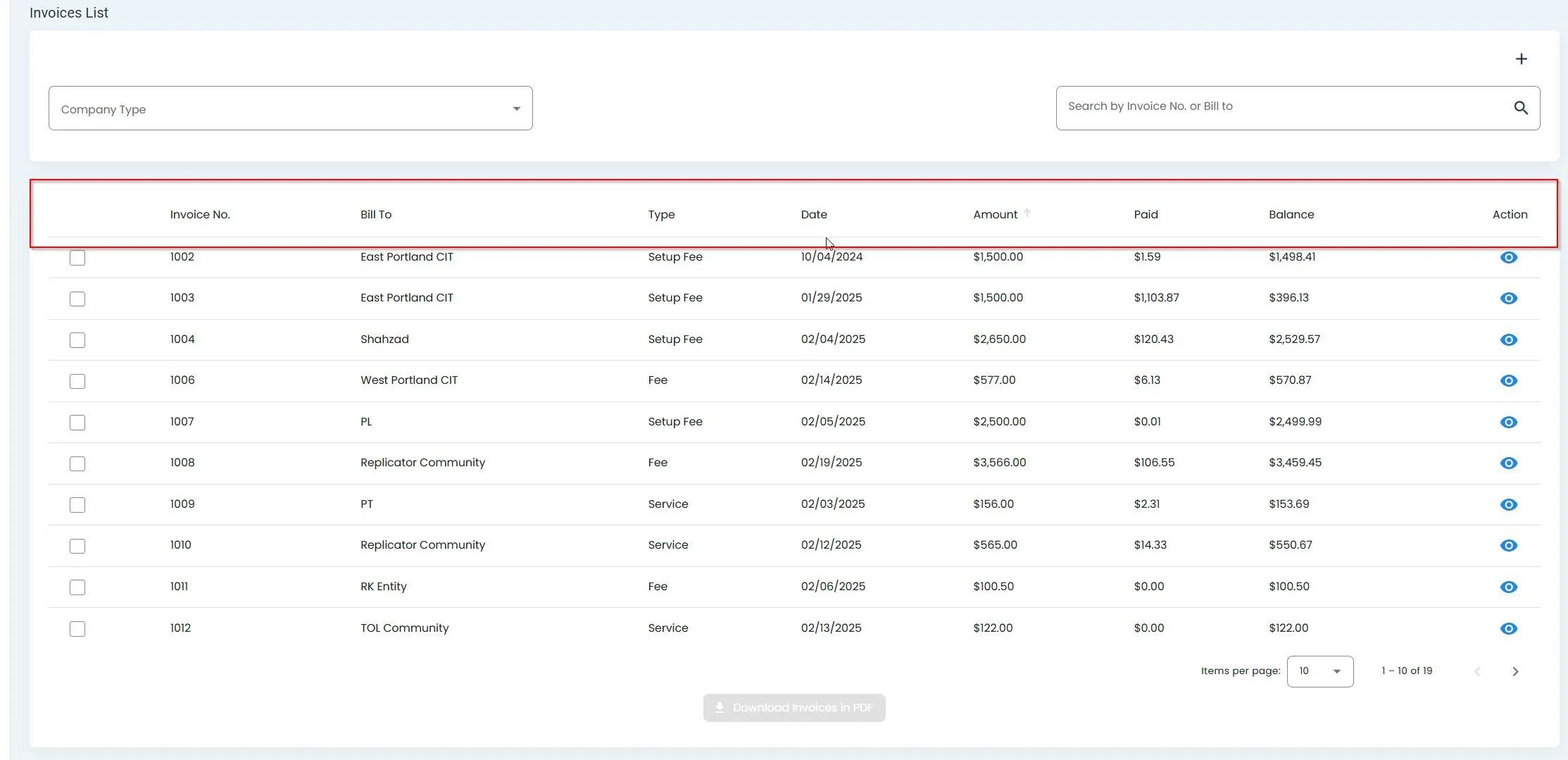
Billing, Invoices, Columns Explained#
The Table: Invoices List table summarizes key details for each Item: Invoice, including:
Column: Invoice Number
Column: Bill To
Column: Type
Column: Invoice Date
Column: Amount
Column: Status
Column: Action
How to Download Invoices in PDF#
To download invoices in PDF format:
Select the checkboxes next to the invoices you want to download:
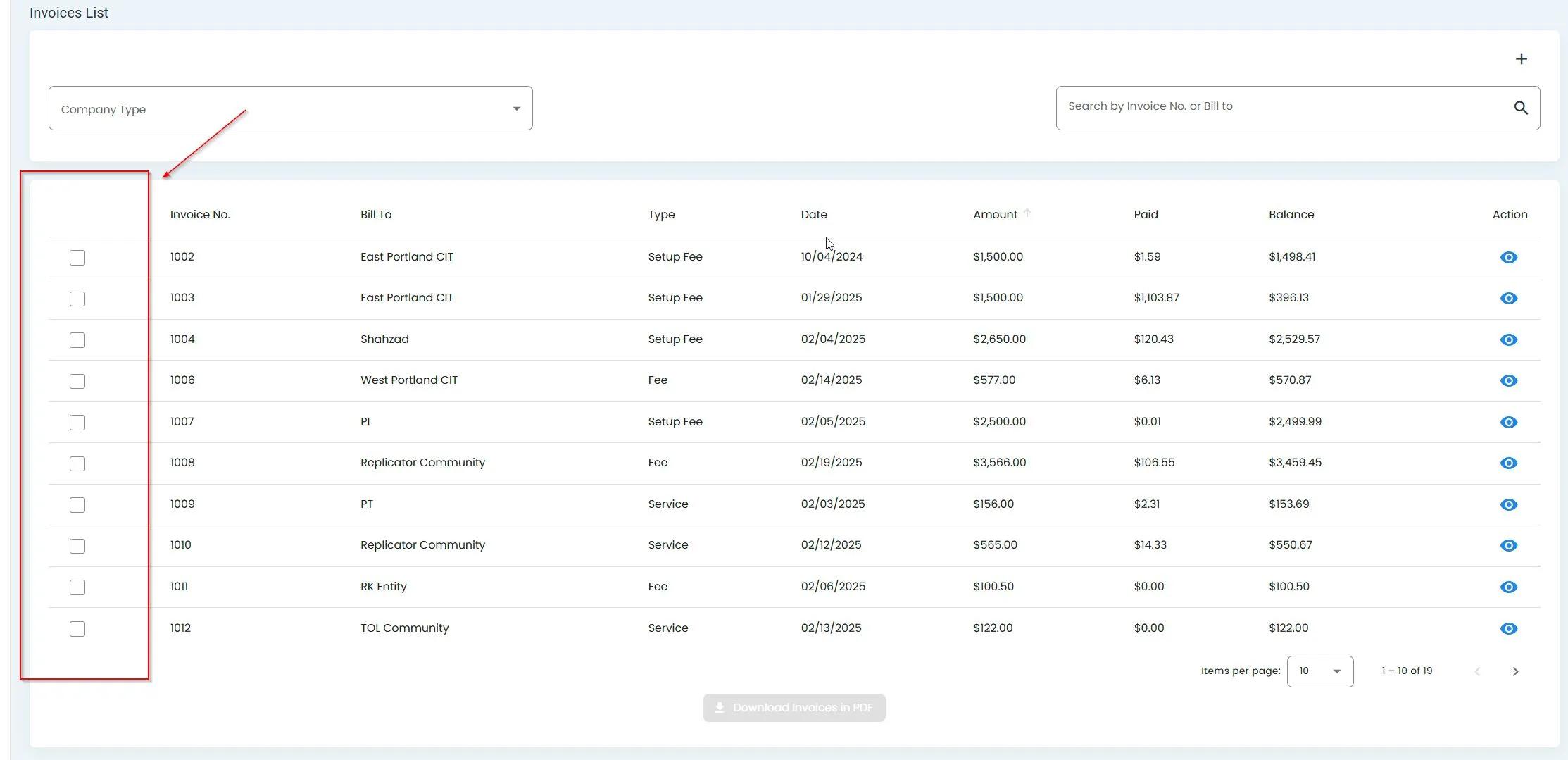
Billing, Invoices, Selecting Invoices#
Click the Item: Download Invoices in PDF button:
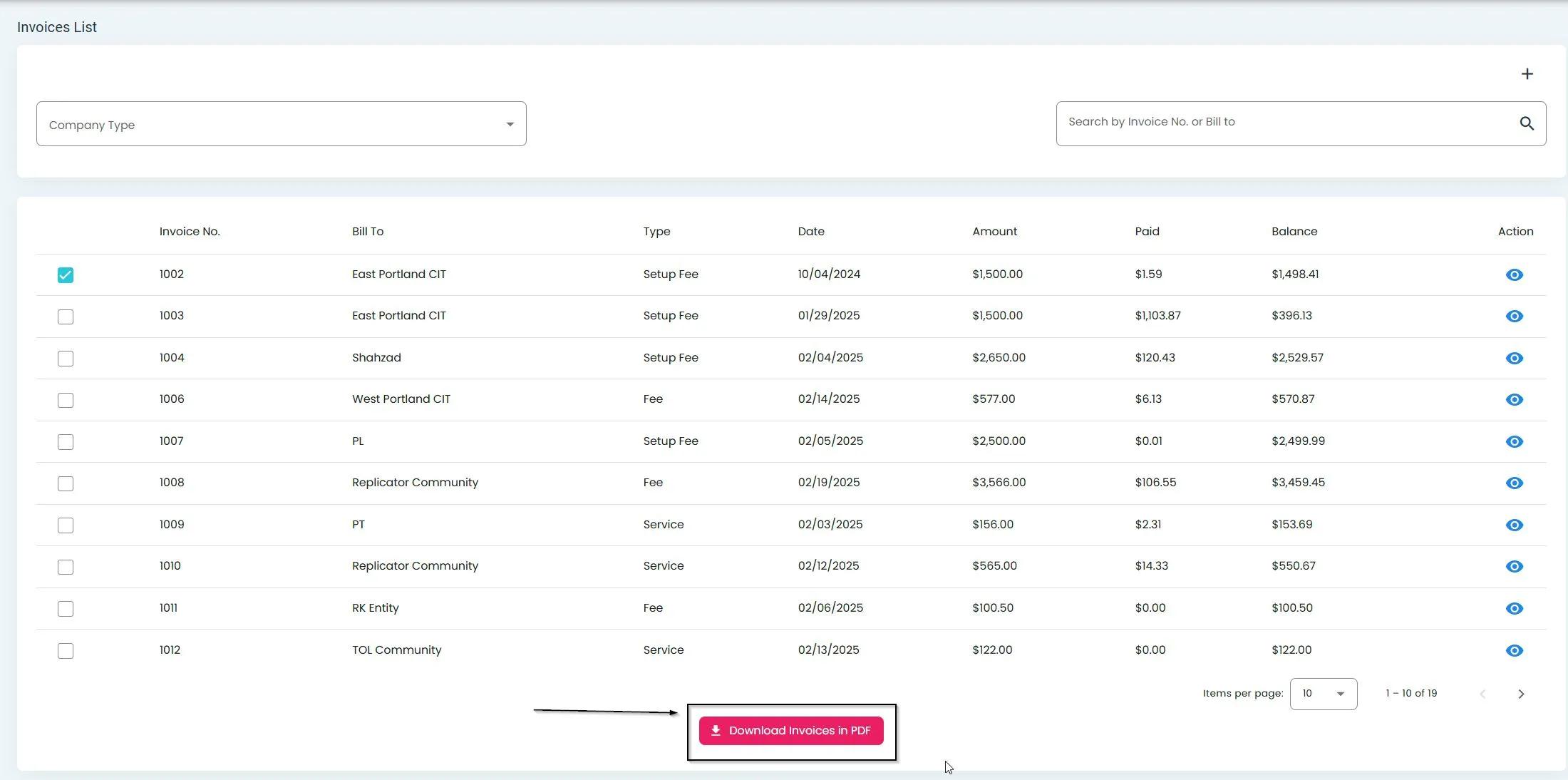
Billing, Invoices, Download PDF Button#
How to Add an Invoice#
To add a new invoice:
Click the Item: Add New Invoice button (plus sign):
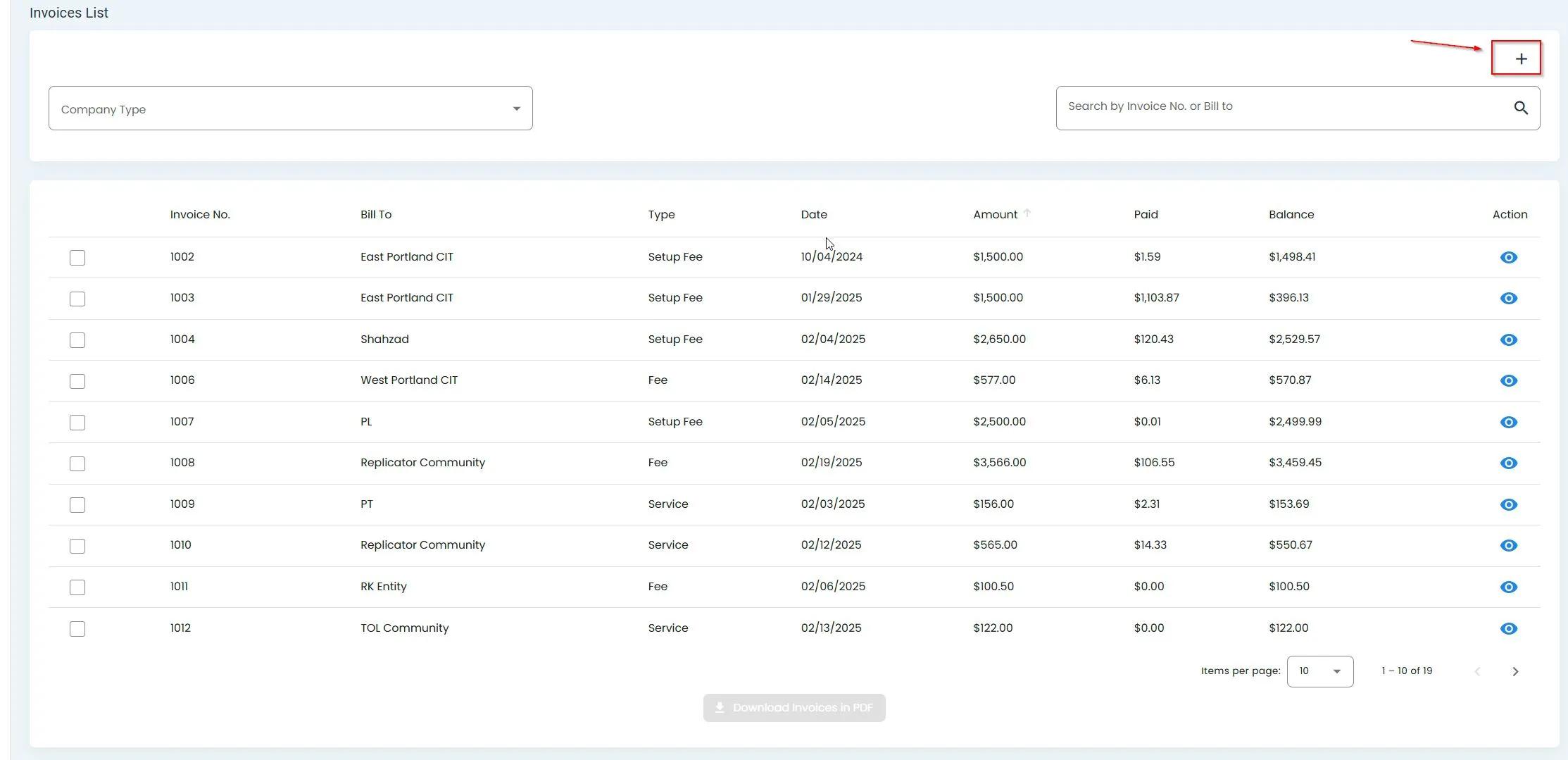
Billing, Invoices, Add New Invoice Button#
Fill out the invoice form:
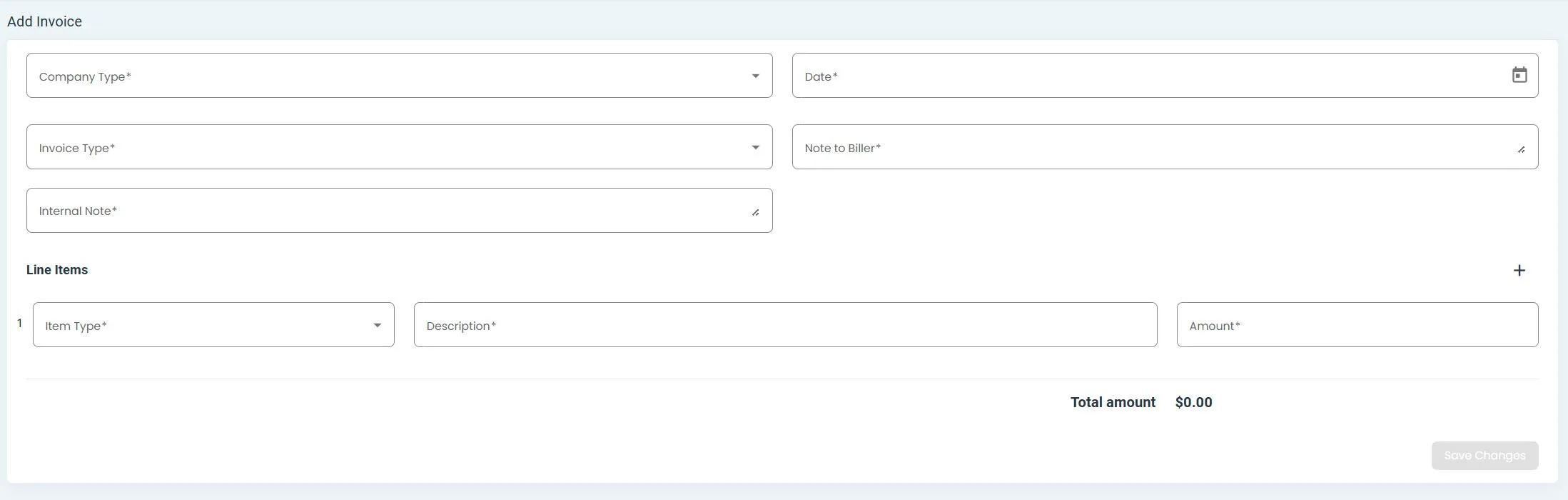
Billing, Invoices, Add Invoice Form#
Note
Item: All fields are requiredAll fields are required for creating a new invoice.
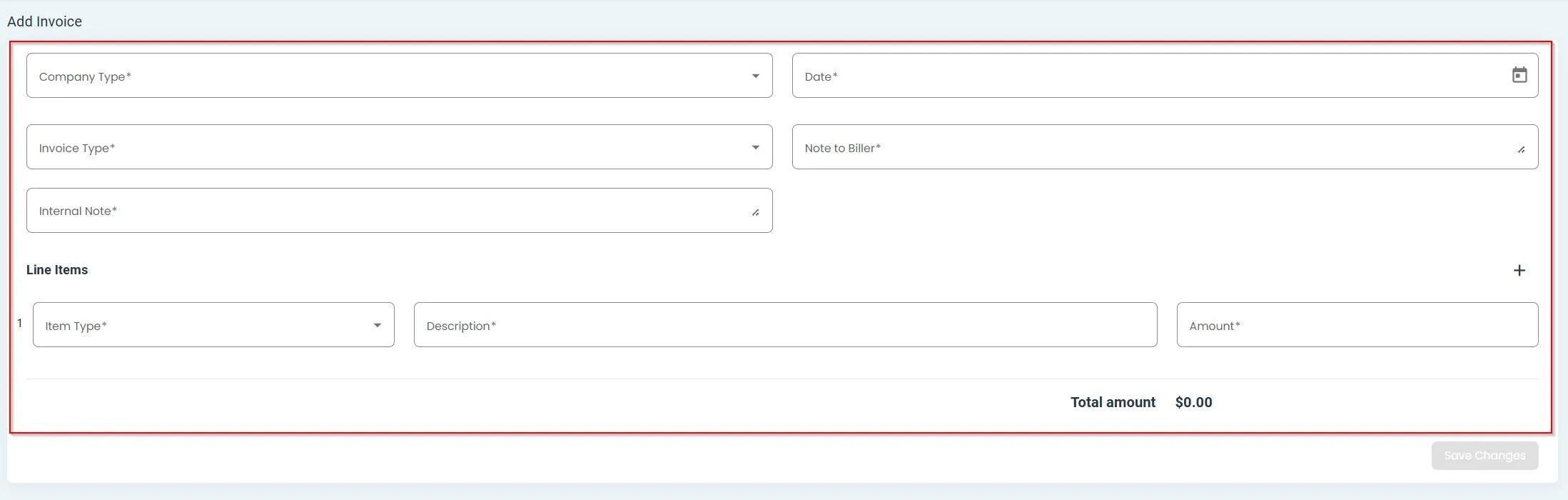
Billing, Invoices, All Fields Required#
Complete all required information (example):
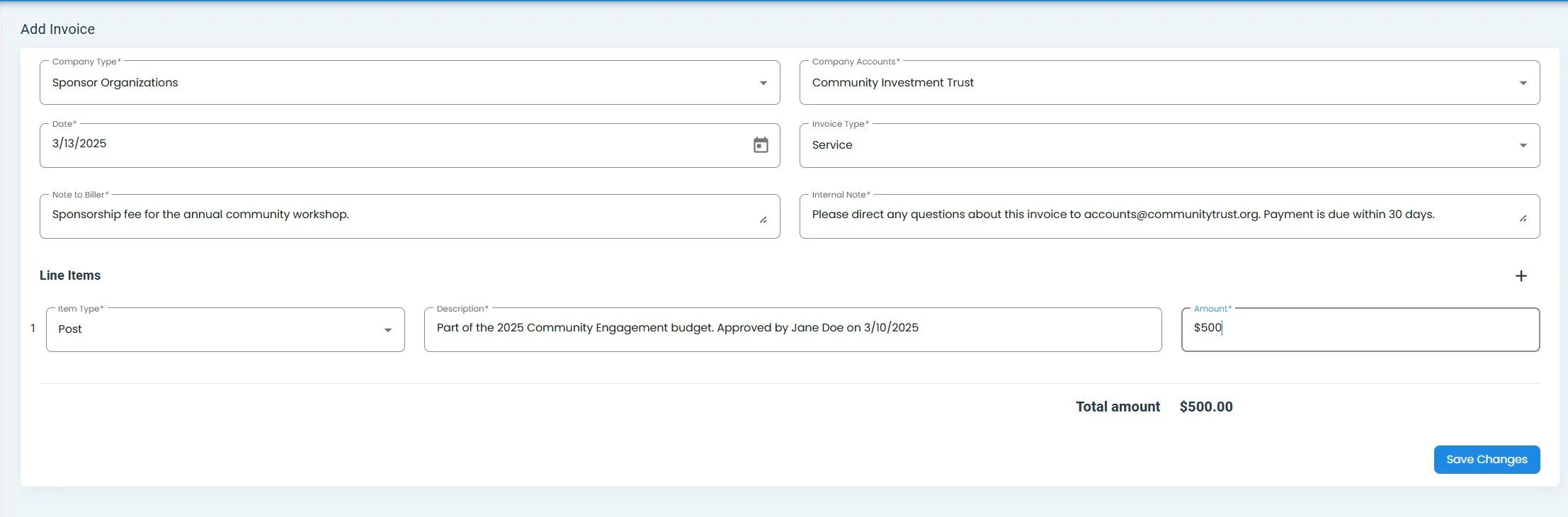
Billing, Invoices, Example of Filled Out Form#
How to Add New Line Items#
You can add multiple line items to an invoice:
Click the Item: Add Line Item button:
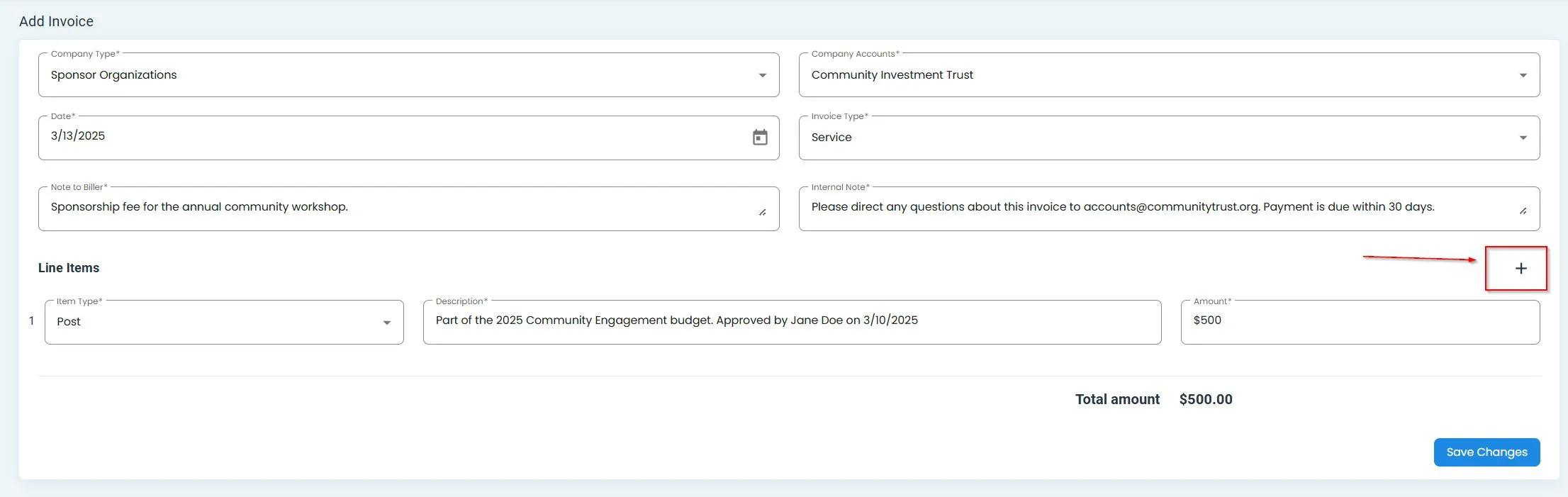
Billing, Invoices, Add Line Item Button#
Fill out the details for the new line item:
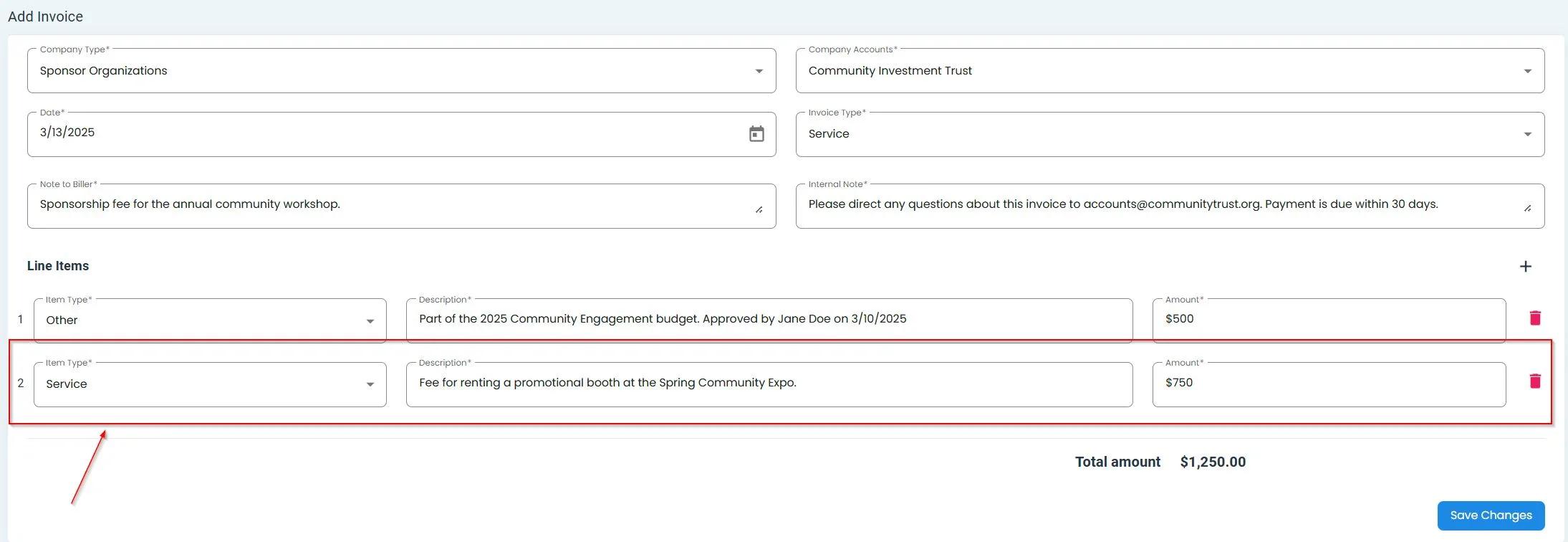
Billing, Invoices, Second Line Item Added#
The total will automatically update to reflect all line items:
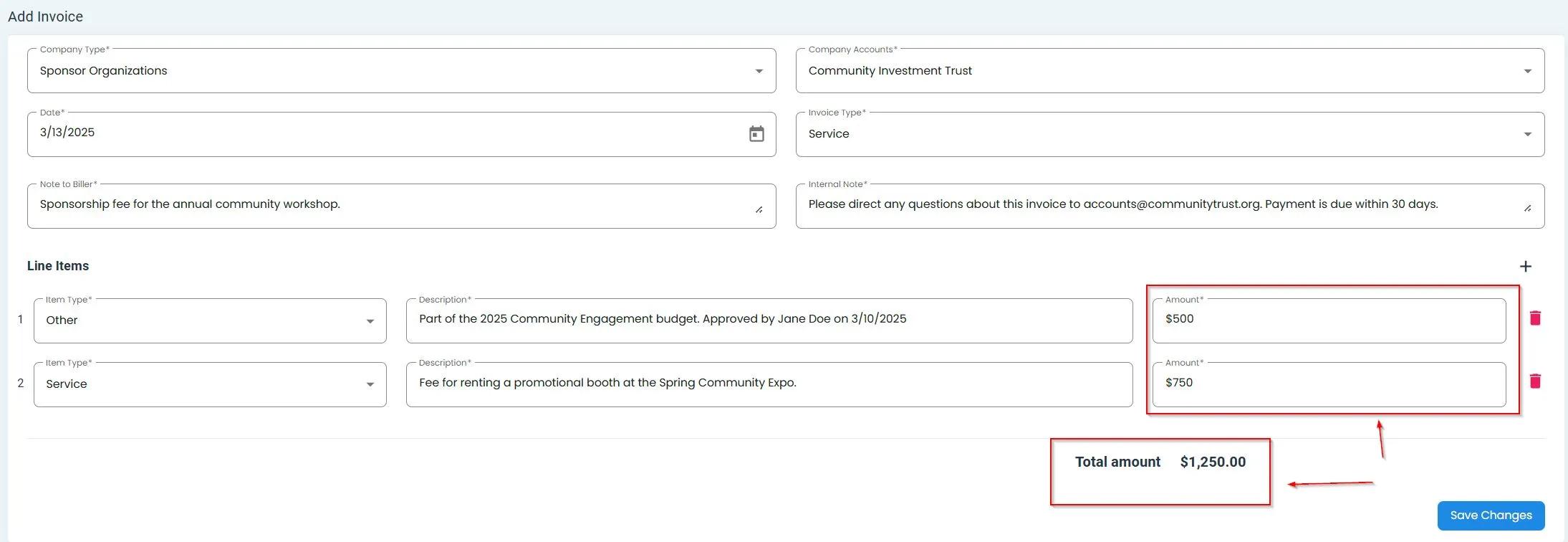
Billing, Invoices, Total Updated with New Line Item#