
Viewing Payment Details#
The Section: Viewing Payment Details section explains how to access and understand detailed information about individual payment records.
Overview: Payment Details#
The Payment Details screen provides comprehensive information about a specific payment, including transaction details, payment status, and associated account information.
Steps: Accessing Payment Details#
Step 1: Locate the View Details Button#
Find the “View Details” button in the payment record row you wish to examine.
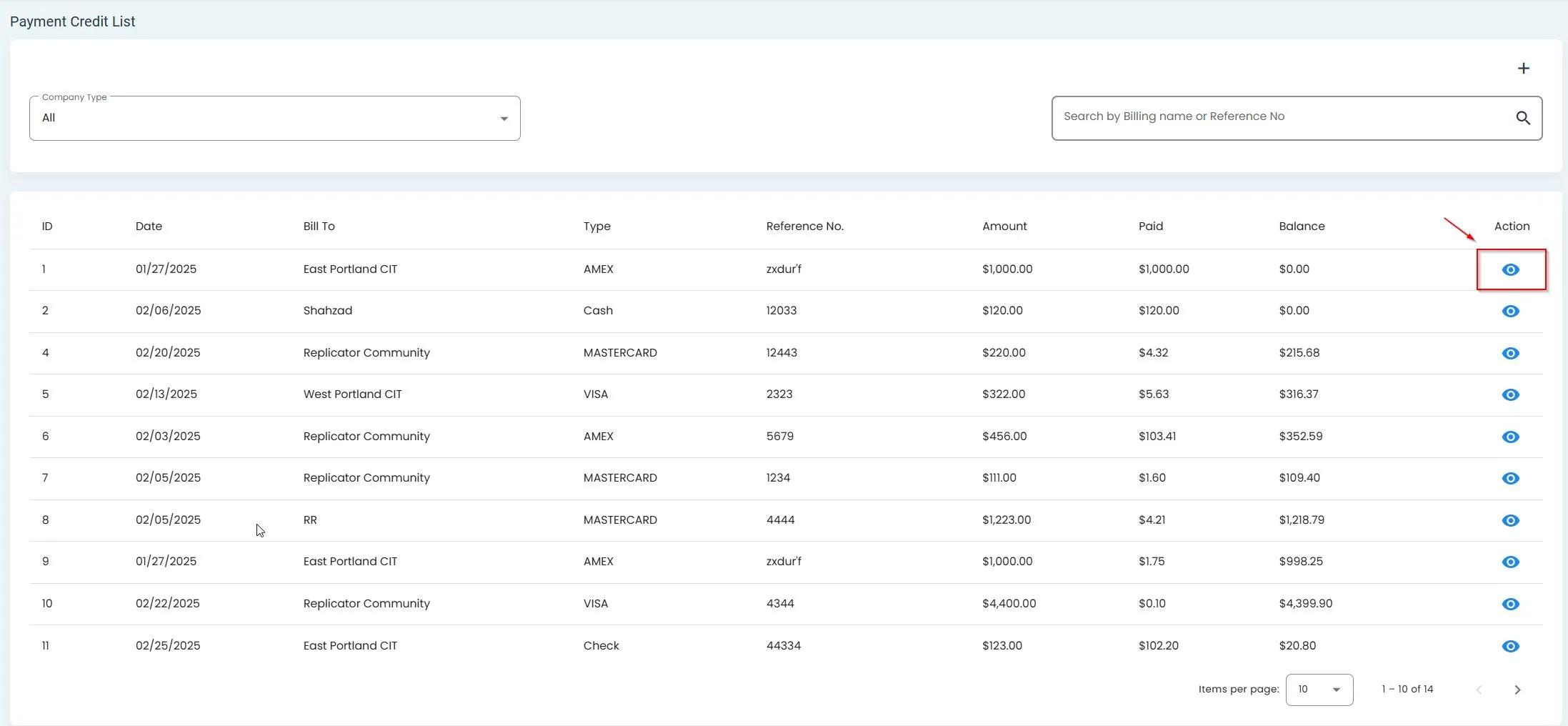
Location of the View Details button in the Payments table#
Step 2: View Payment Details Screen#
After clicking the View Details button, a new screen will open displaying all available information about the selected payment.
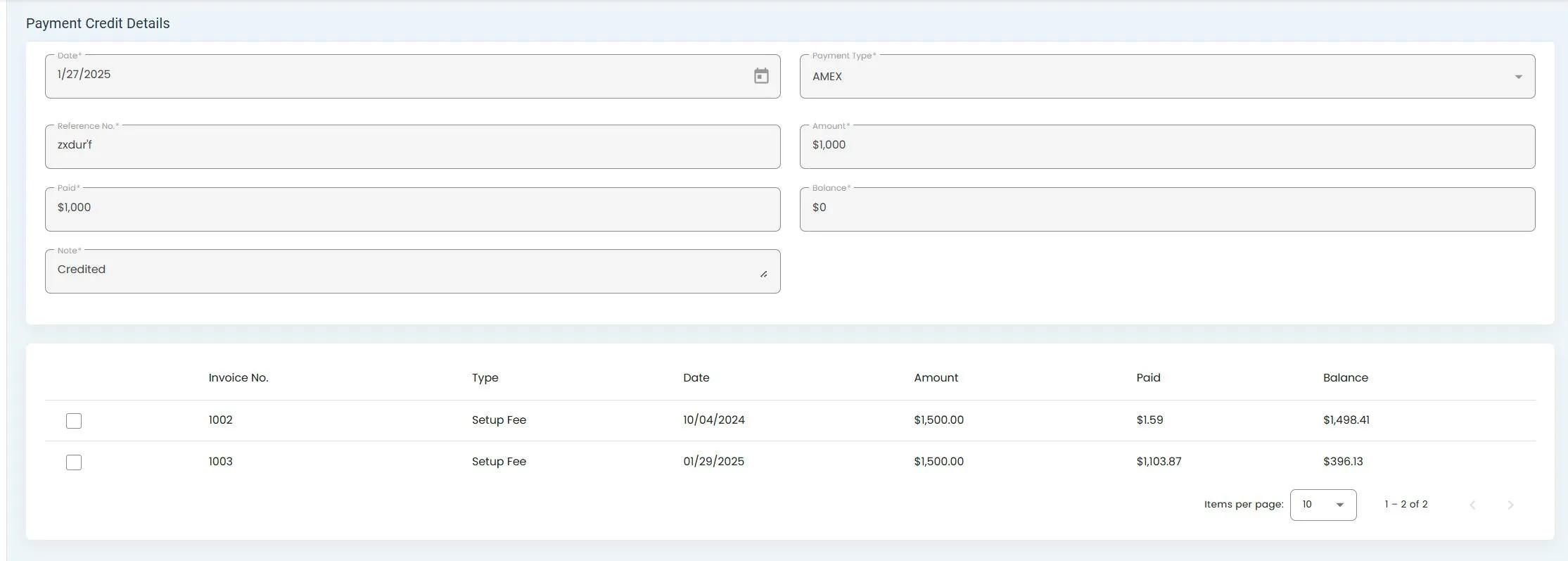
Payment Details screen showing comprehensive payment information#
Understanding the Payment Details#
Quick Information Section#
The top section of the Payment Details screen provides essential information about the payment at a glance.
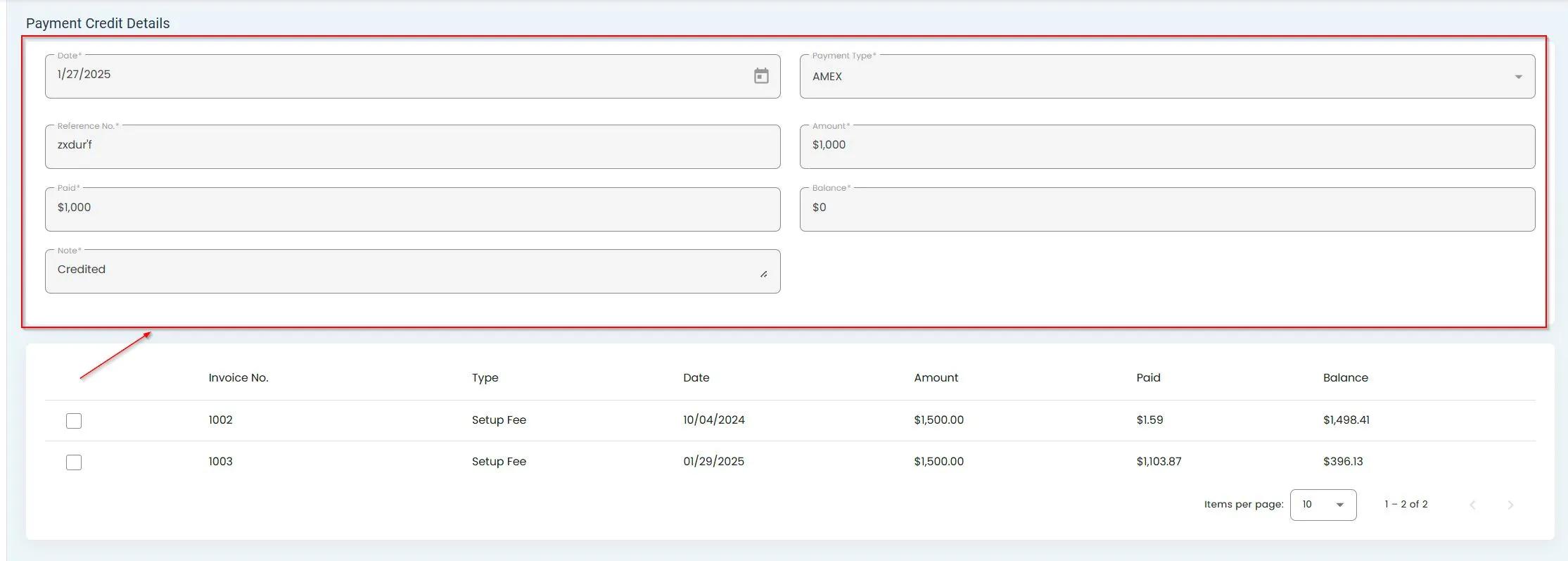
Quick information section highlighted in the Payment Details screen#
Detailed Columns#
The Payment Details screen is organized into columns containing specific categories of information.
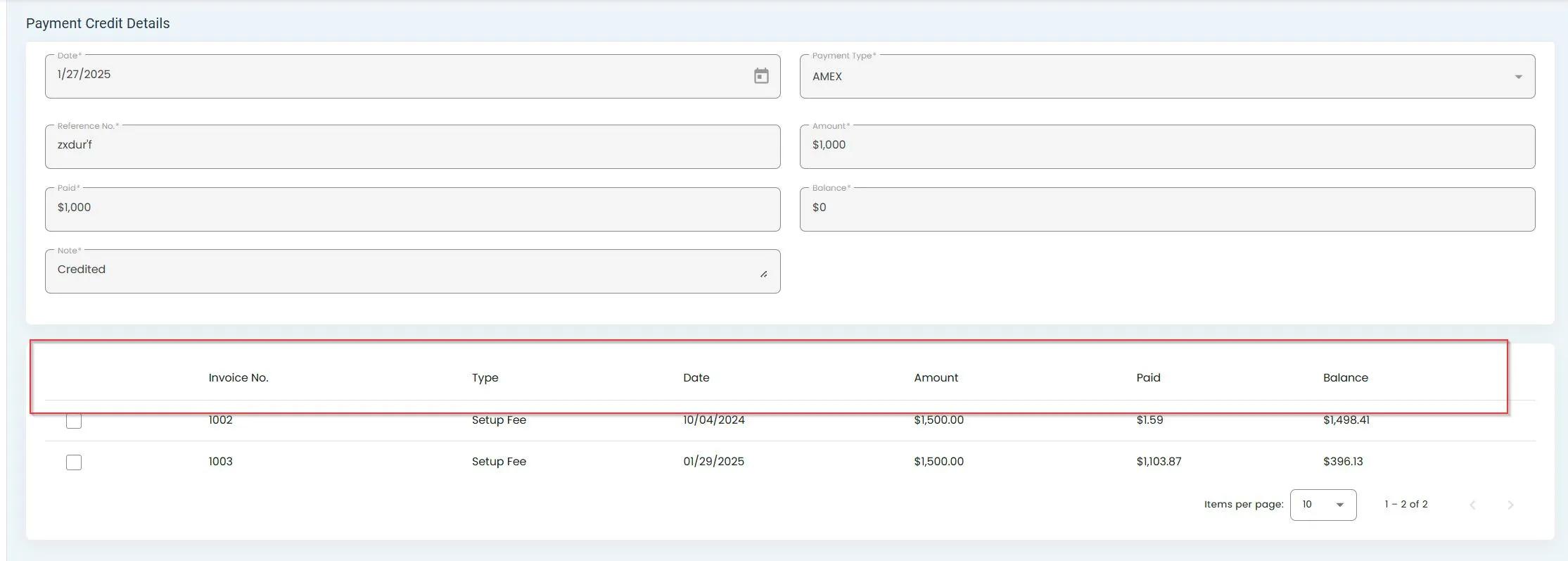
Columns of information in the Payment Details screen#
Summary#
The Payment Details screen allows you to:
Access comprehensive information about individual payment records
View payment transaction details
See associated account information
Check payment status and history