
Adding Payment Credits#
The Section: Adding Payment Credits section explains how to add payment credits to company accounts in the system.
Overview: Payment Credits#
Payment credits allow you to add funds to company accounts in the system. This feature is essential for maintaining payment balances and facilitating transactions within the application.
Steps: Adding Payment Credits#
Step 1: Locate the Add Payment Credit Button#
Find the “Add Payment Credit” button in the Payments interface.
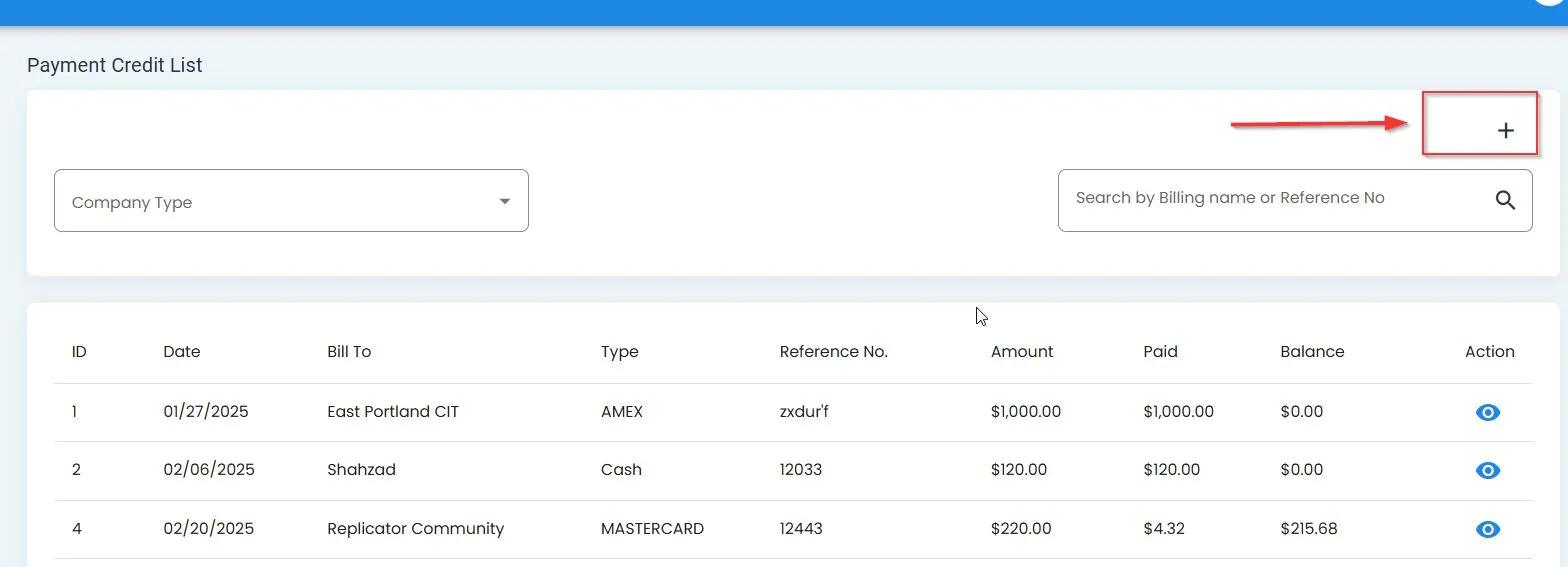
Location of the Add Payment Credit button#
Step 2: Access the Add Payment Credit Form#
After clicking the Add Payment Credit button, you’ll see the payment credit form.
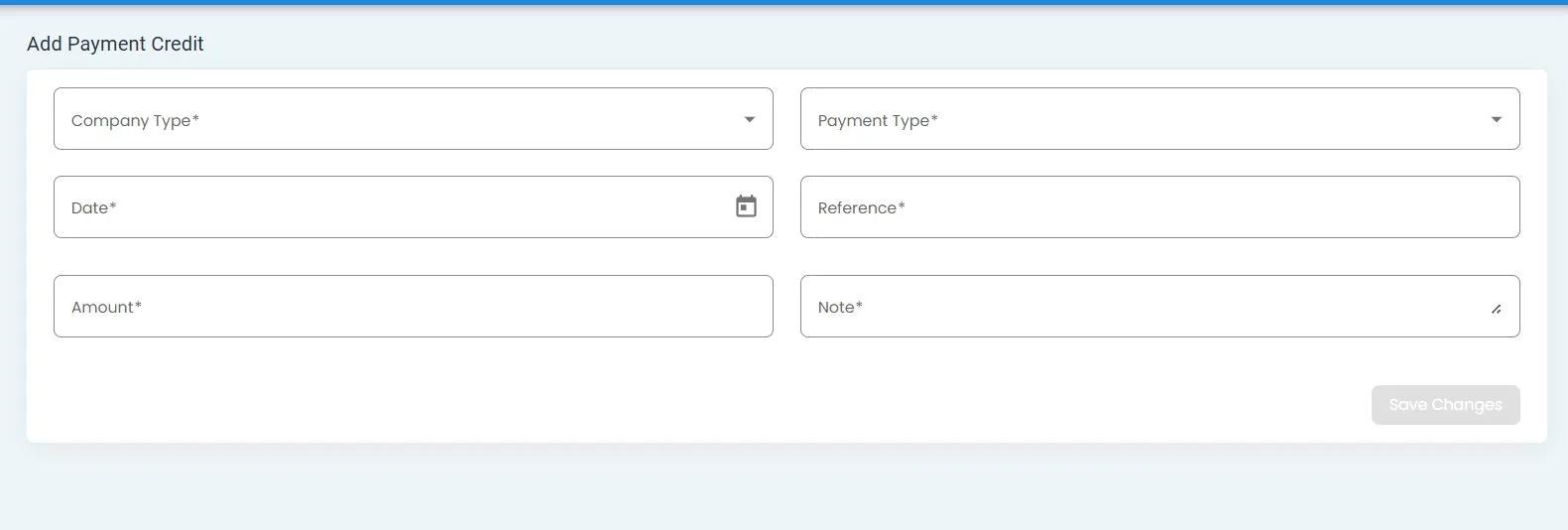
The Add Payment Credit form#
Note
All fields in the Add Payment Credit form are required.
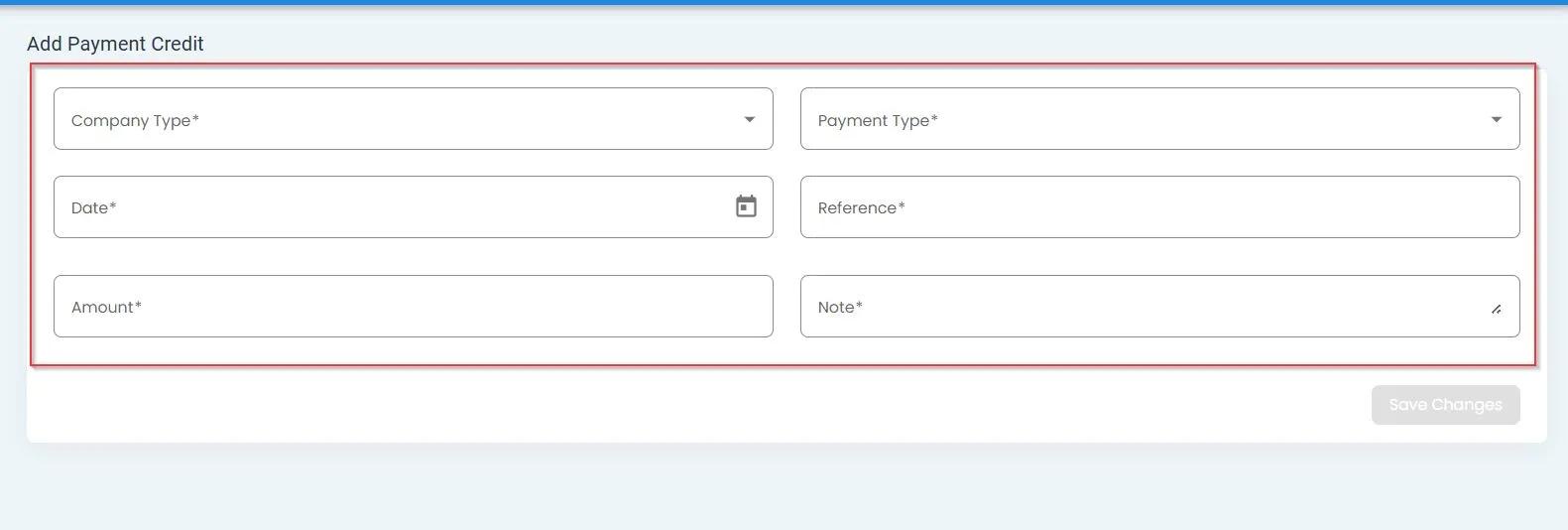
All fields are required in the Add Payment Credit form#
Step 3: Select Company Type#
Choose the appropriate company type from the dropdown menu.
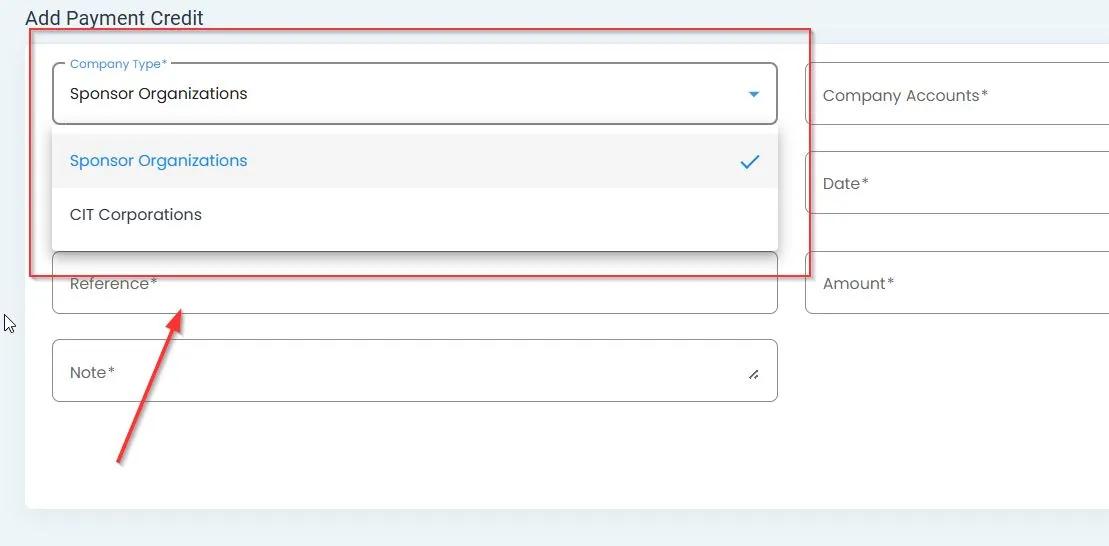
Selecting the company type in the Add Payment Credit form#
Step 4: Select Company Account#
Select the specific company account to which you want to add the payment credit.
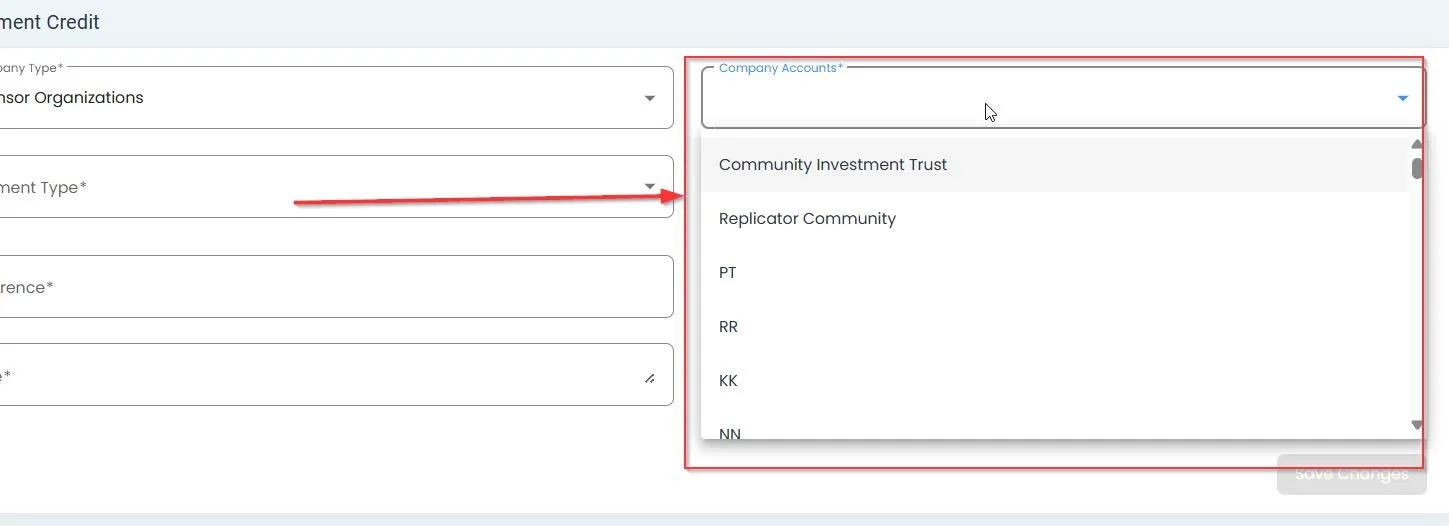
Selecting the company account in the Add Payment Credit form#
Step 5: Select Payment Type#
Choose the appropriate payment type from the available options.
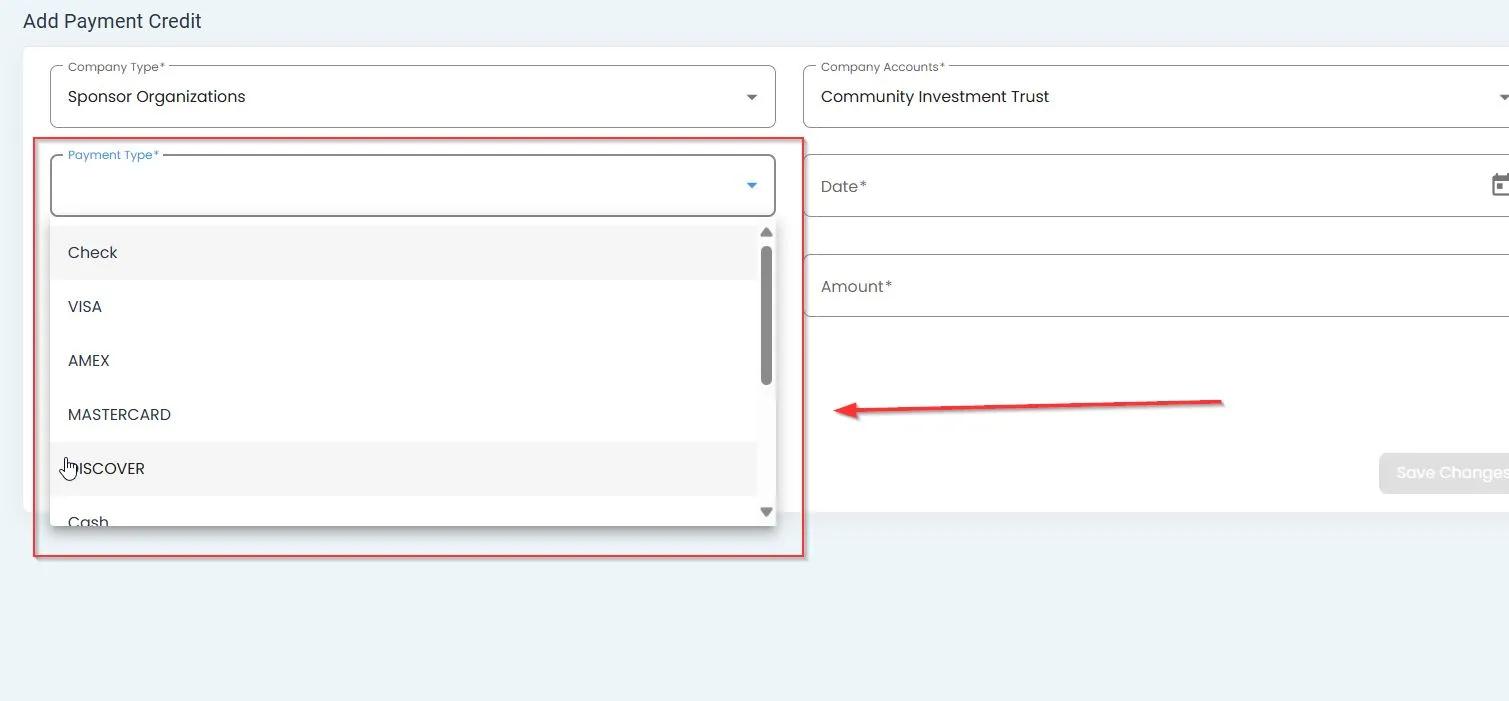
Selecting the payment type in the Add Payment Credit form#
Step 6: Fill Out Fields and Save#
Complete all the required fields in the form and click the Save button to add the payment credit.
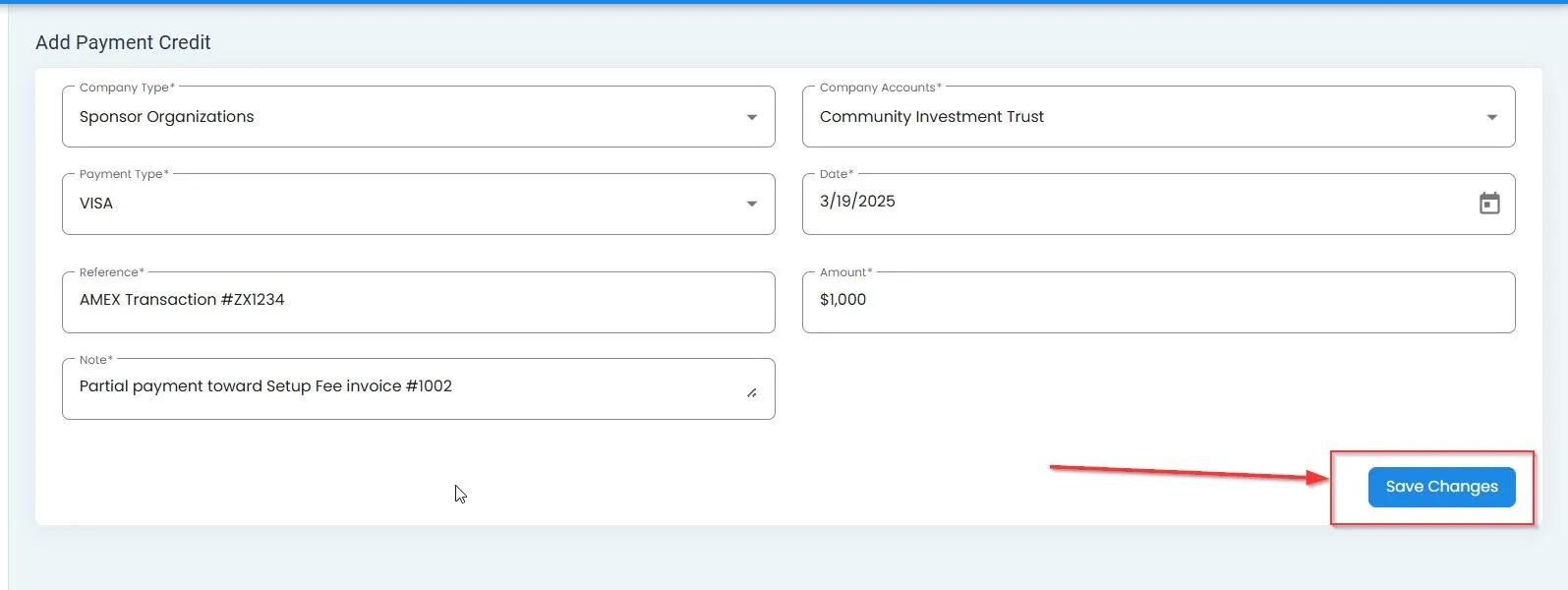
Filling out the fields and clicking Save to complete the process#
Summary#
The process of adding payment credits involves:
Accessing the Add Payment Credit form
Selecting the company type and account
Choosing the payment type
Completing all required fields
Saving the payment credit information
This functionality allows administrators to manage company account balances effectively within the system.