
Directives#
The Section: Directives section provides tools for managing transaction directives within the system.
Directives Homepage Location#
To Find the Directives List Homepage:
Locate the primary sidenav to the left of the page.
Don’t see the sidenav?
See How to Toggle Primary Sidebar for more information.
Select the dropdown for the Navigation Category: Transaction category.
Select Section: Directives from the dropdown.
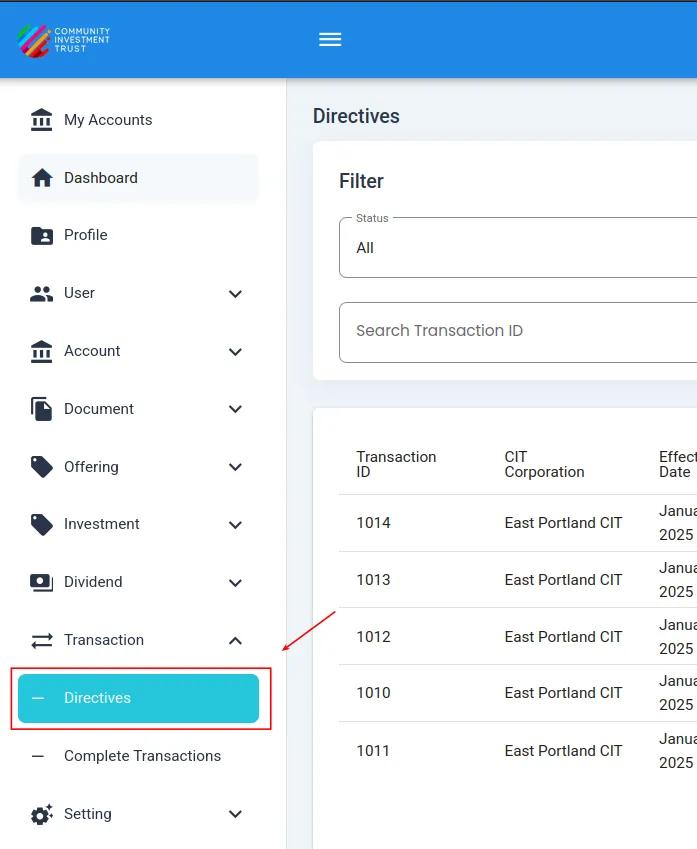
Directives Homepage#
Directives List Table Overview#
The Table: Directives List table has the following Column: Columns:
Column: Transaction ID: The unique identifier for the transaction
Column: CIT Corporation: The corporation associated with the transaction
Column: Effective Date: The date when the transaction becomes effective
Column: Total Investment Amount: The total amount invested in the transaction
Column: Total Shares: The total number of shares involved in the transaction
Column: Number Of Investments: The count of individual investments in the transaction
Column: Submitted On: The date when the transaction was submitted
Column: Submitted By: The user who submitted the transaction
Column: Status: The current status of the transaction (e.g., Pending, Rejected/Canceled, Complete)
Column: Action: Available actions for the transaction (view details)
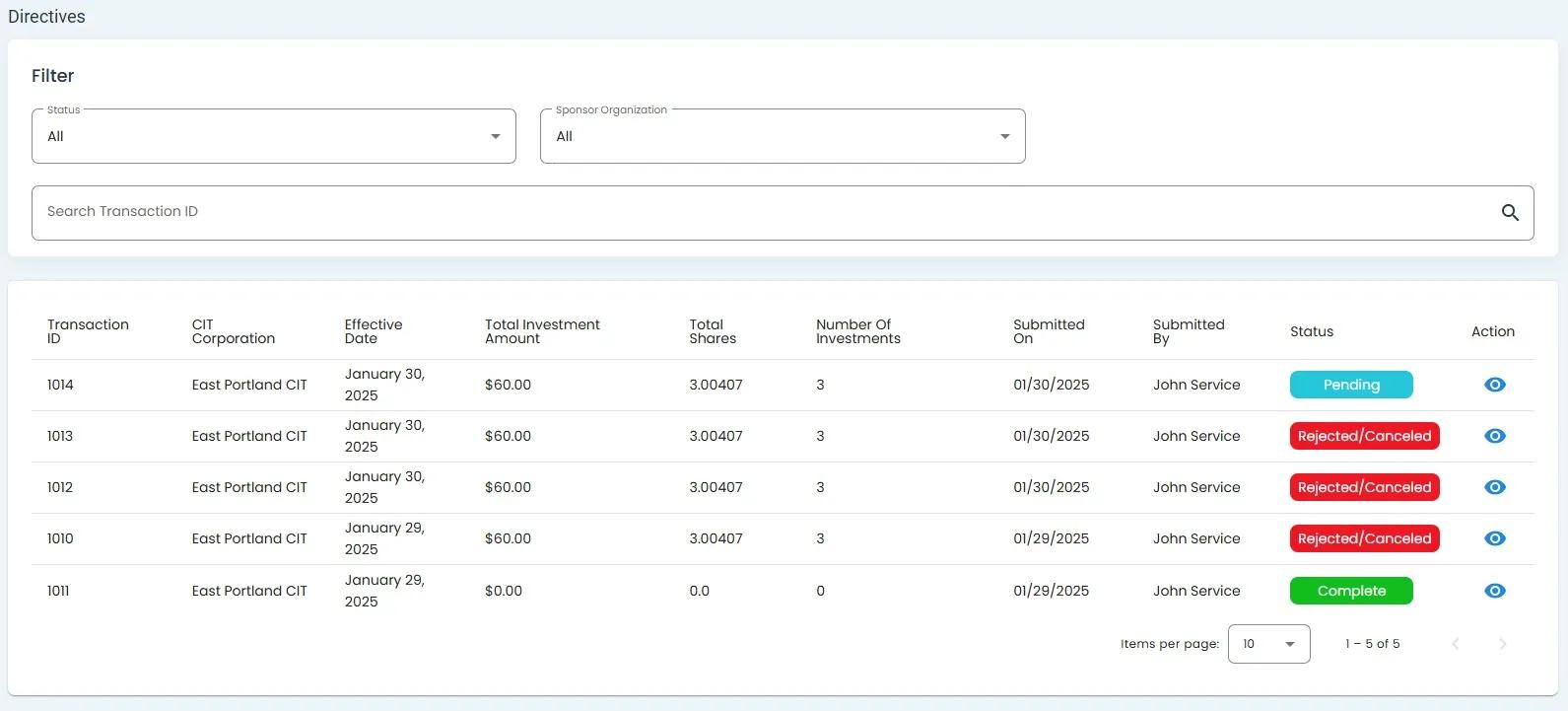
Directives List Table showing transaction directives with status indicators#
Filtering the Directives List#
The Table: Directives List can be filtered using either of the following options: