
Documents List Tab#
The Tab: Documents List tab provides a quick overview of all documents associated with a chosen Item: Investor.
Location: Documents Tab#
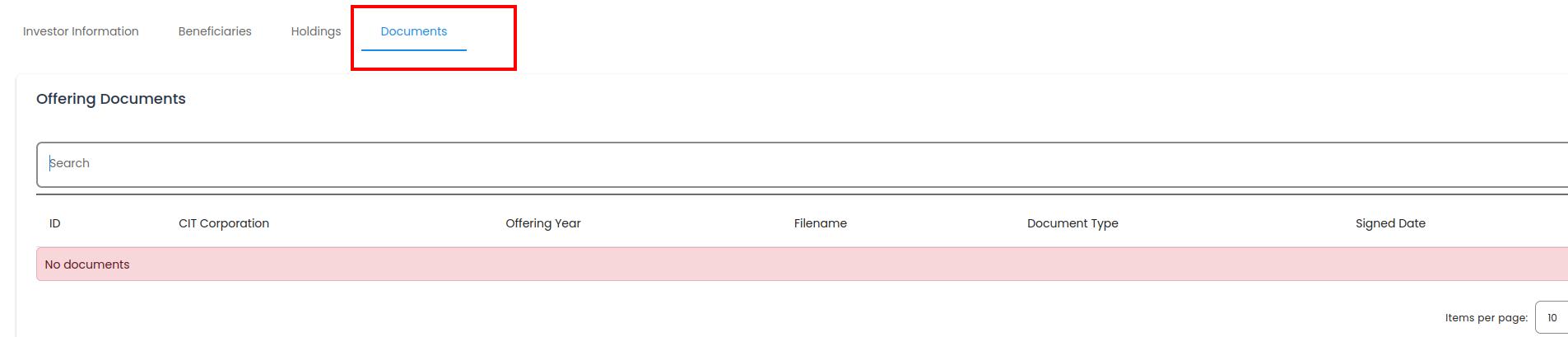
Account, Investors, Investor Information, Documents Tab#
Columns: Documents List Table#
The Table: Documents table will have the following columns:
Column: Book Number: A unique identifier associated with a specific investment certificate or holding record, used for tracking and reference.
Column: Document Type: The type of document, such as a certificate, letter, or other document.
Column: Shares: The number of stock units associated with the investment, representing ownership in the issuing company.
Column: Issued Date: The date the shares or investment certificate were issued, marking the official start of the holding.
Column: Canceled Date: The date the holding or certificate was canceled or invalidated, often due to redemption, conversion, or transfer.

Account, Investors, Investor Information, Documents Tab, Columns Explained#
Search for Documents#

Other Actions#
The Column: Action column for the Table: Documents table is the furthest Column: Column to the right:
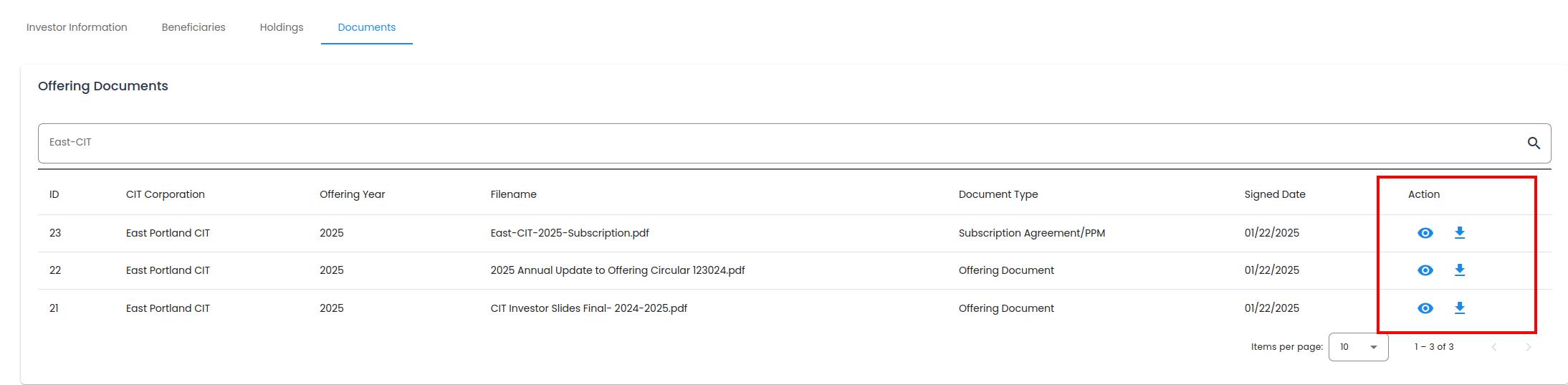
Account, Investors, Investor Information, Documents Tab, Action Column Location#
Available Actions#
The Column: Action column allows you to perform the following actions:
View Document Details - Opens the document in a browser window.
Download Document - Downloads document to the Item: User’s default downloads folder.