
Dividends#
The Section: Dividends section covers everything listed in the Table of Contents below:
Dividends Homepage Location#
To Find the Dividends List Homepage:
Locate the primary sidenavigation to the left of the page.
Don’t see the sidenav?
See How to Toggle Primary Sidebar for more information.
Action: Select the dropdown for the Navigation Category: Dividend category.
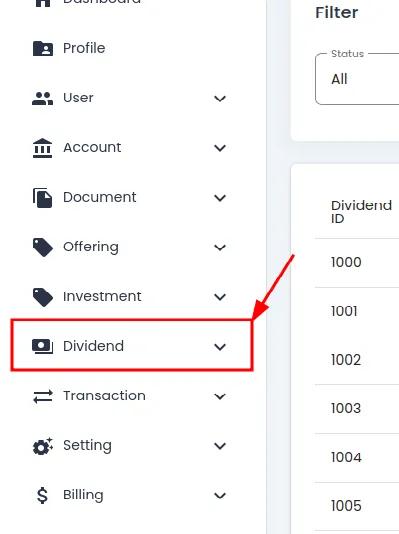
Dividend Category, Primary Sidenav, Dropdown Location#
Action: Select Section: Dividends from the dropdown.
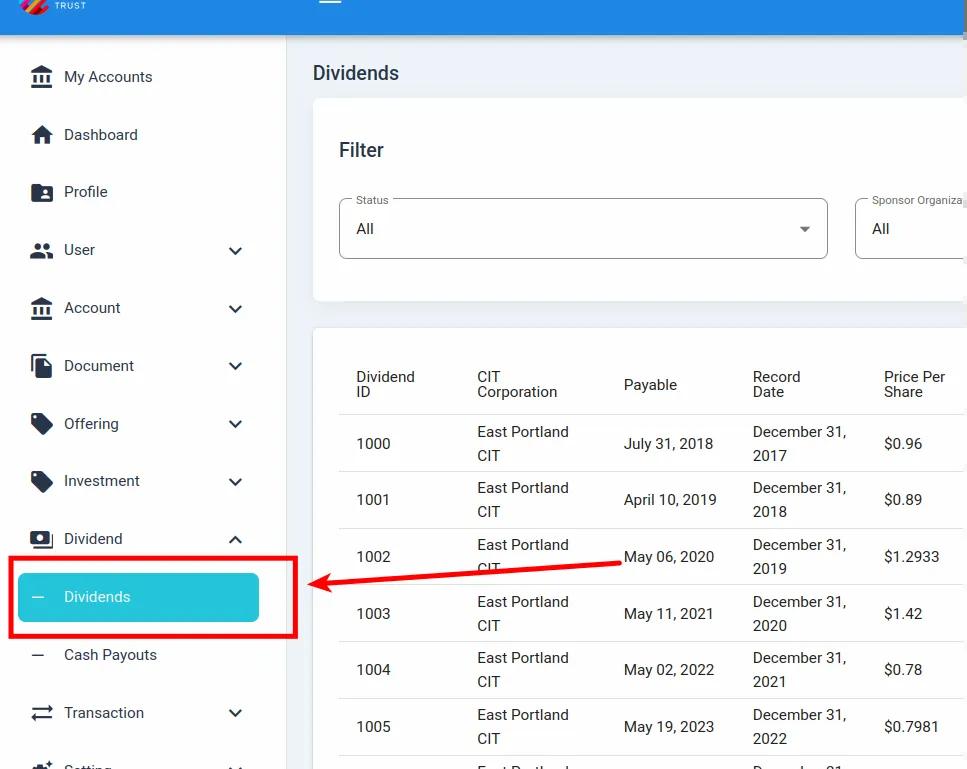
Dividend, Dividends Homepage, Primary Sidenav Location#
Dividends List Table#
The Table: Dividends List table is what first appears on the homepage of the Section: Dividends section.
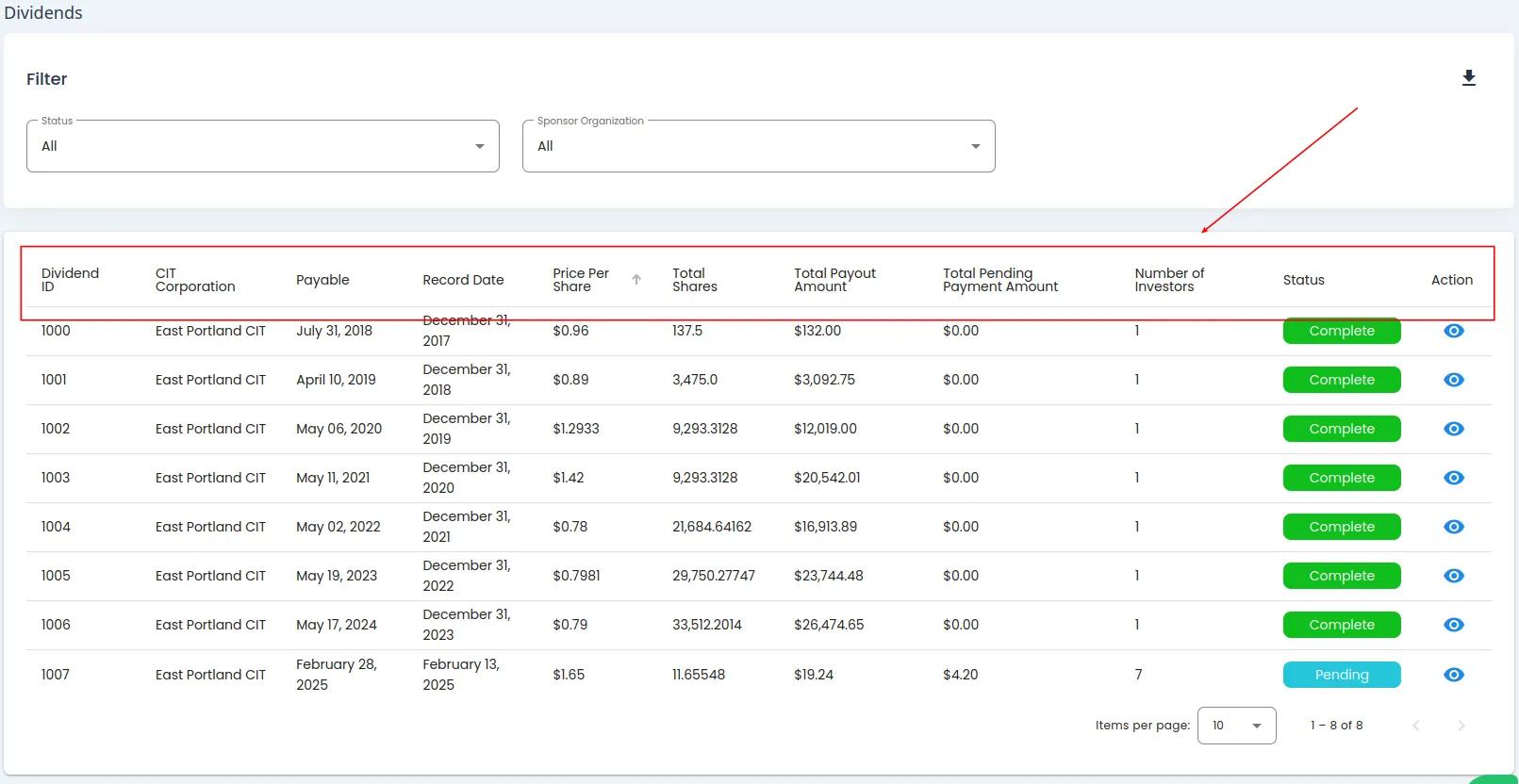
Dividends Homepage#
Columns: Dividends List Table#
The Table: Dividends List table has the following Column: Columns:
Column: Dividend: The dividend identifier or name
Column: CIT Corporation: The corporation associated with the dividend
Column: Payable: The date when the dividend is payable
Column: Record Date: The date of record for the dividend
Column: Price Per Share: The amount paid per share
Column: Total Shares: The total number of shares eligible for the dividend
Column: Total Payout Amount: The total amount to be paid for all shares
Column: Total Pending Payment Amount: The amount still pending payment
Column: Number of Investors: The number of investors receiving the dividend
Column: Status: The current status of the dividend (e.g., Complete)
Column: Action: Available actions for the dividend
Using Dividends Filters#
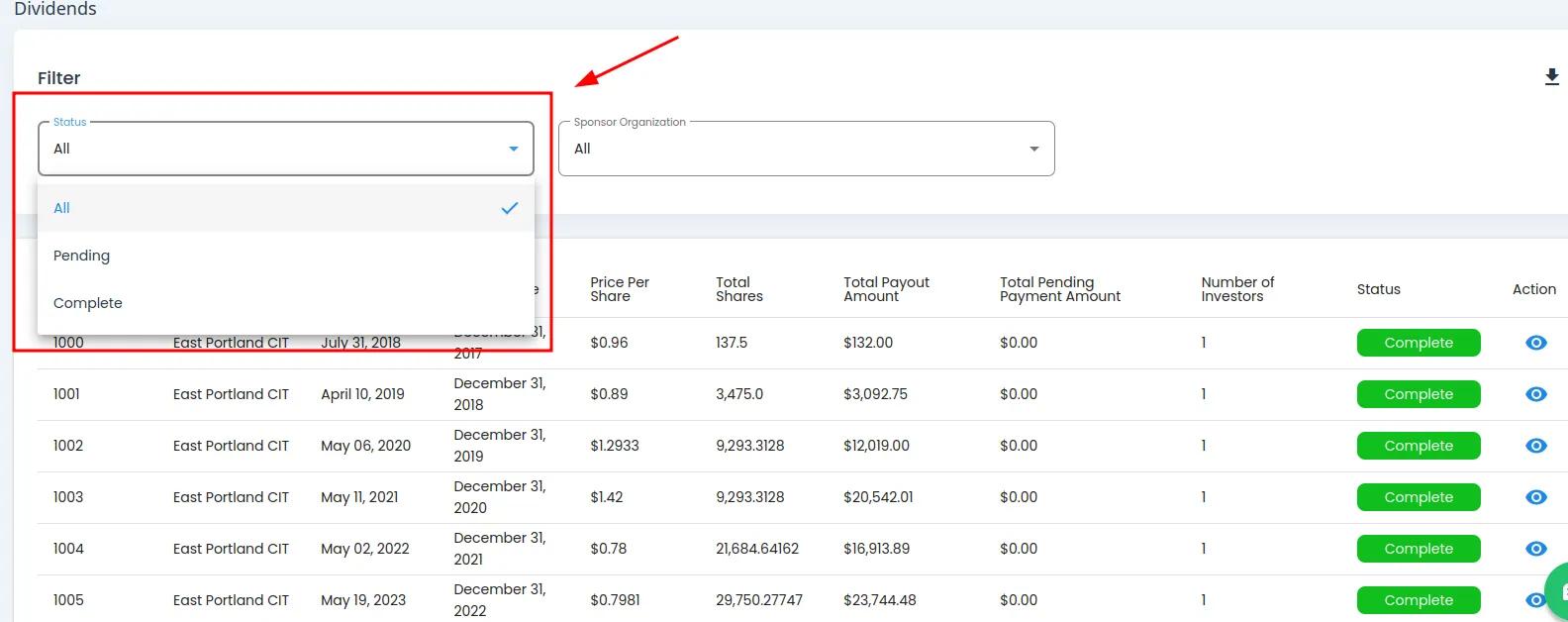
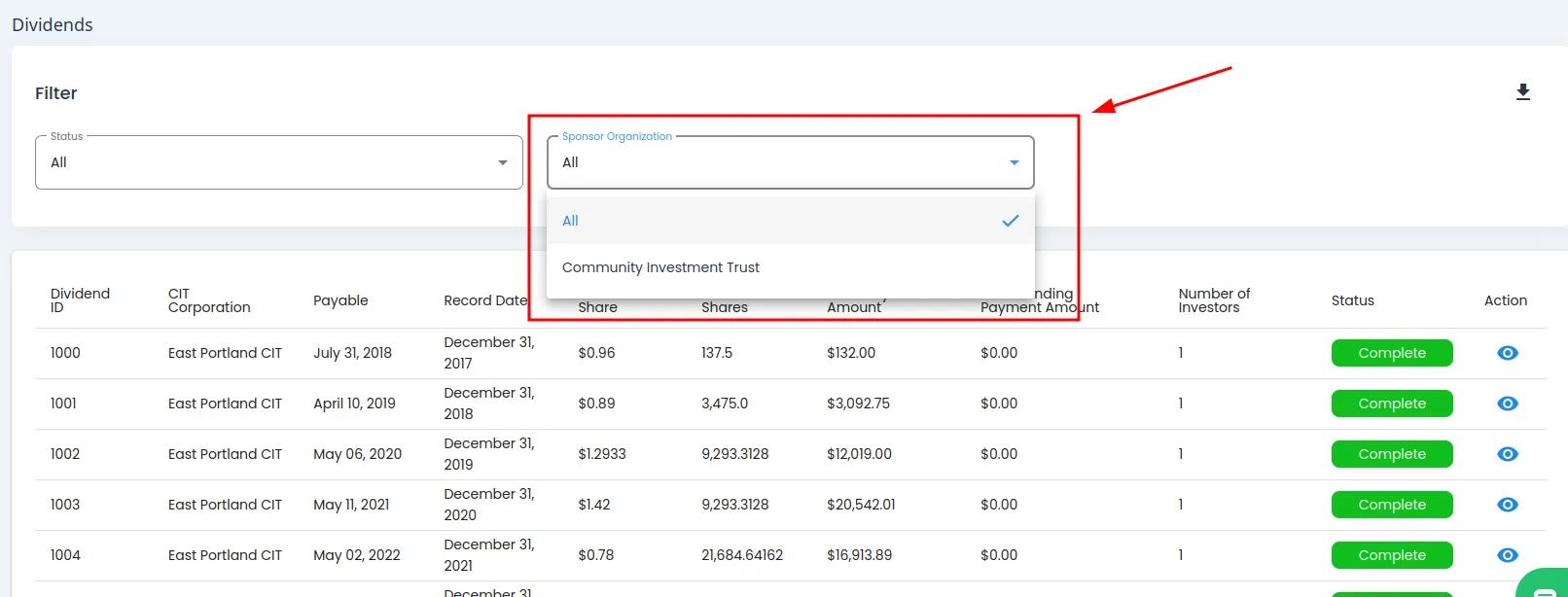
To Filter Dividends:
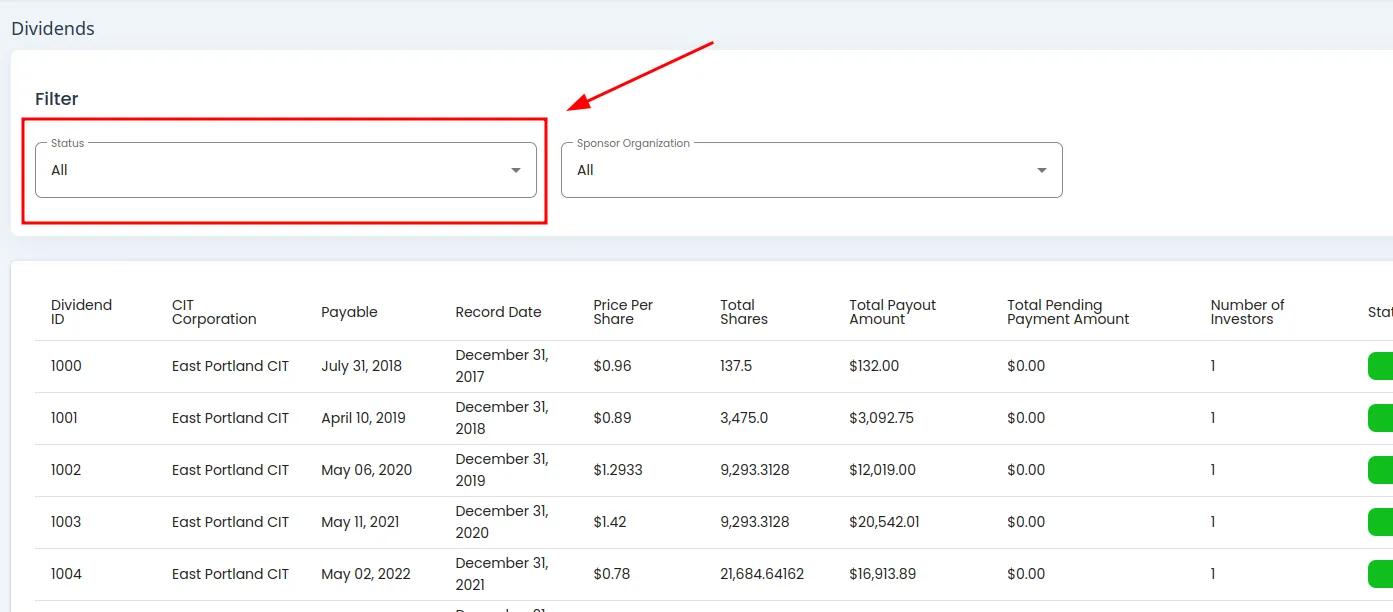
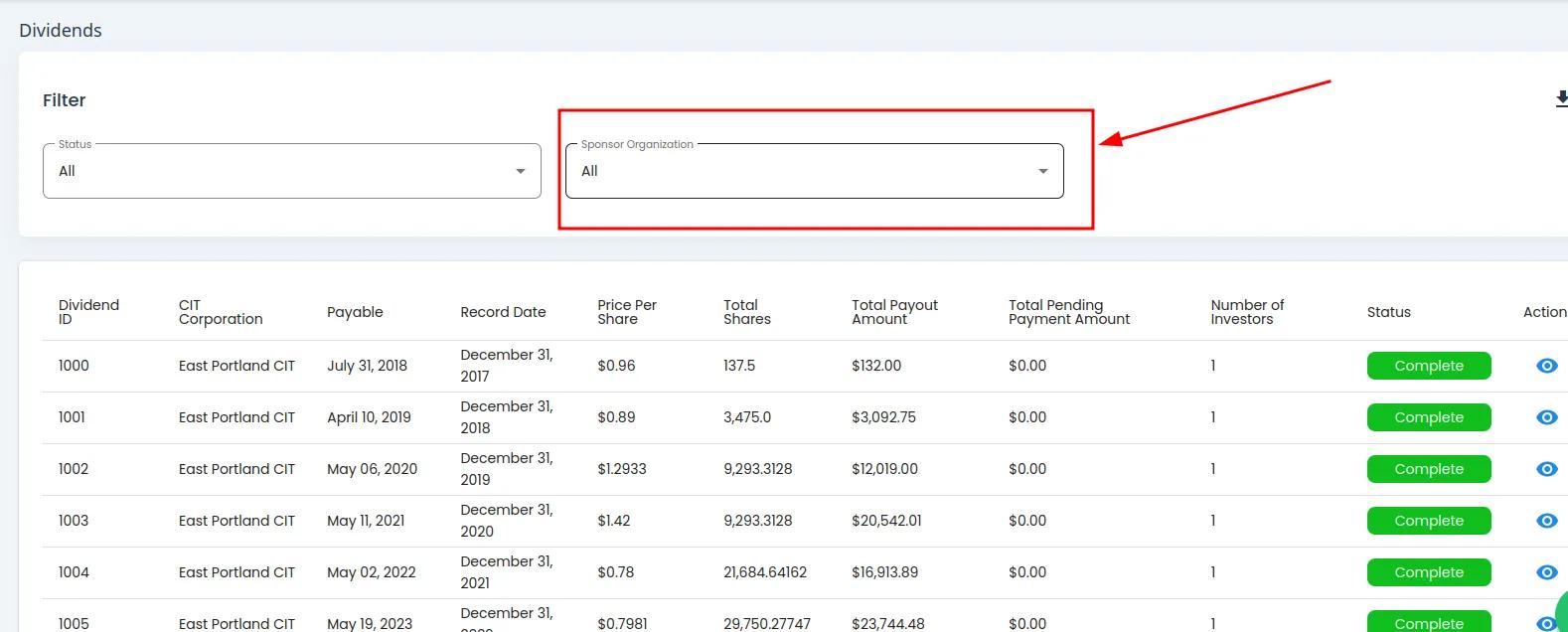
Locate the filter section above the table.
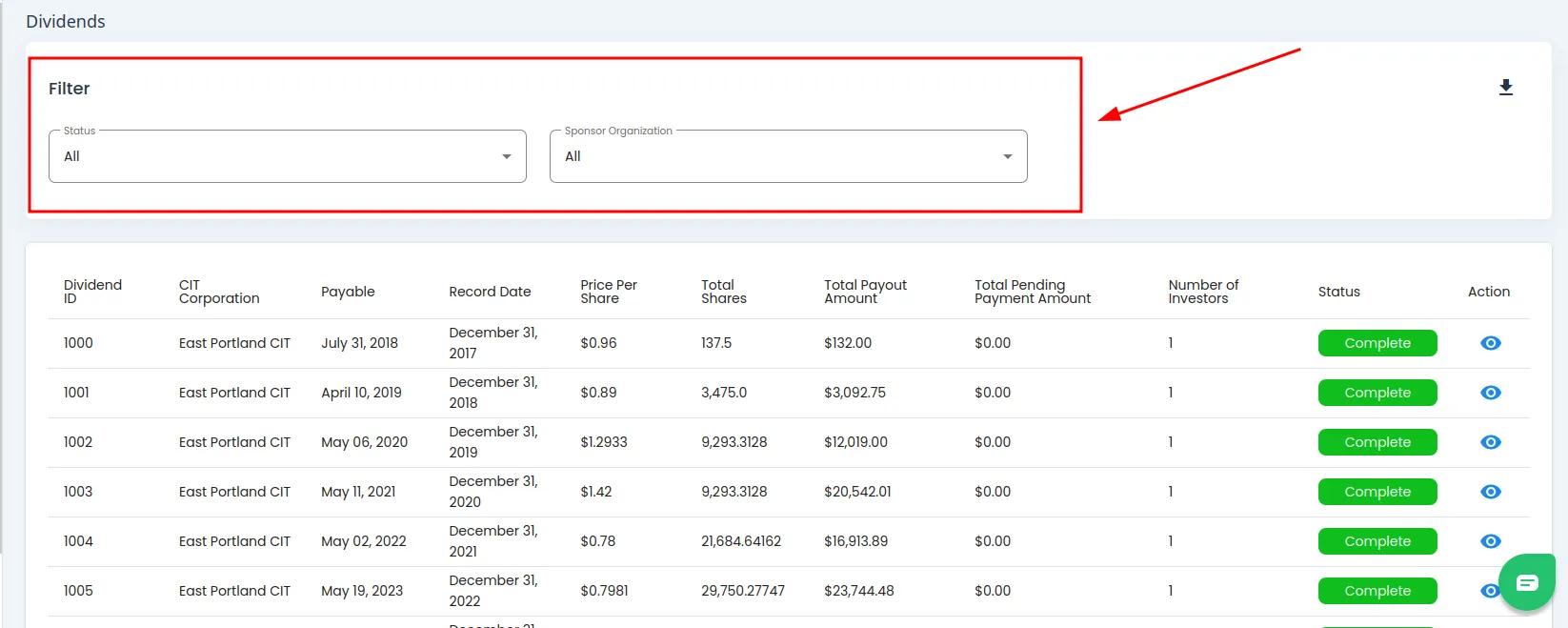
Dividends Table Filter Section Highlighted#
How to: Filter by Status#
How to: Filter by Sponsor Organization#
How to: Filter by CIT Corporation#
CIT Corporation Filter Availability
The option to filter by Item: CIT Corporation is only available after a Item: Sponsor Organization is selected.
Find and Action: Click on the Item: CIT Corporation dropdown.
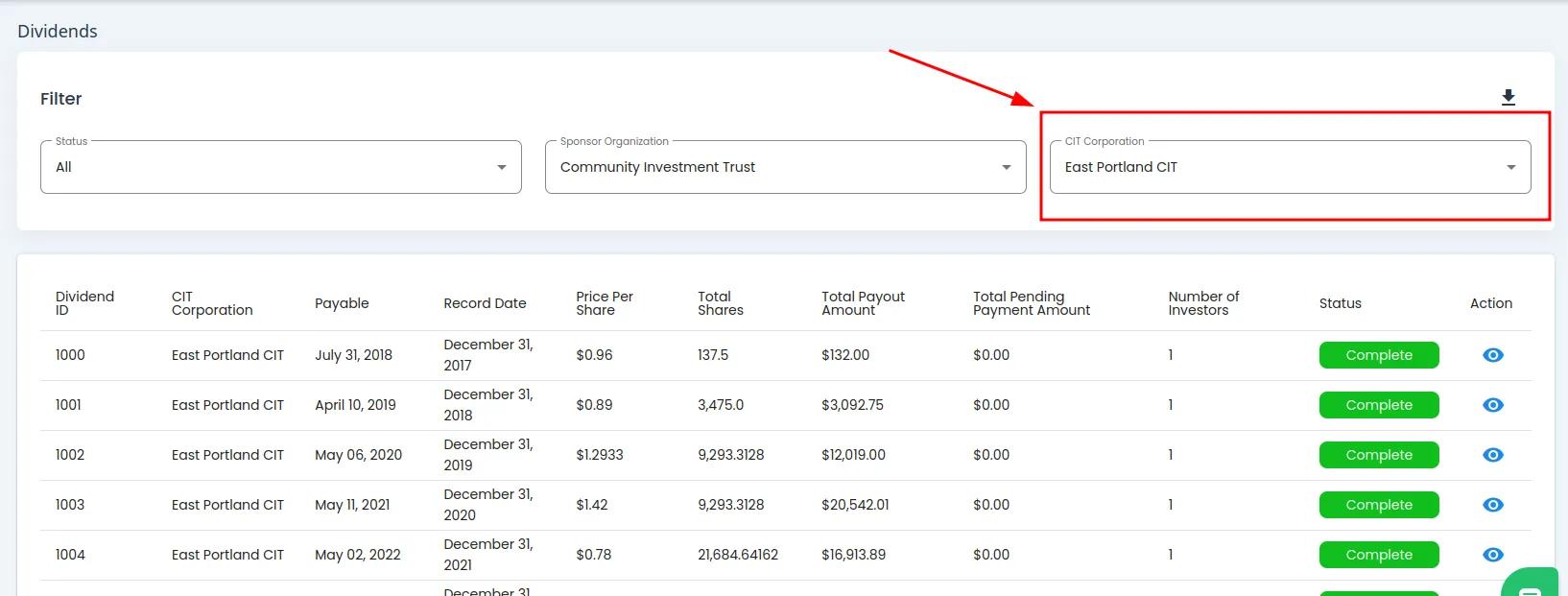
CIT Corporation Dropdown Location#
Action: Select the Item: CIT Corporation you want to filter by from the dropdown.
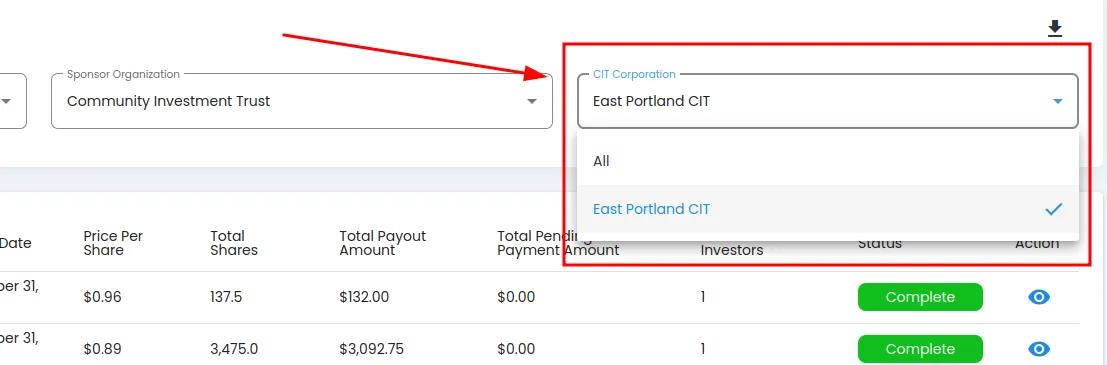
CIT Corporation Dropdown Expanded#
Action Complete: The table will filter as the options are selected