How to Approve Uploaded Document(s)#
Follow the instructions below to approve an uploaded document.
To Approve an Uploaded Document:
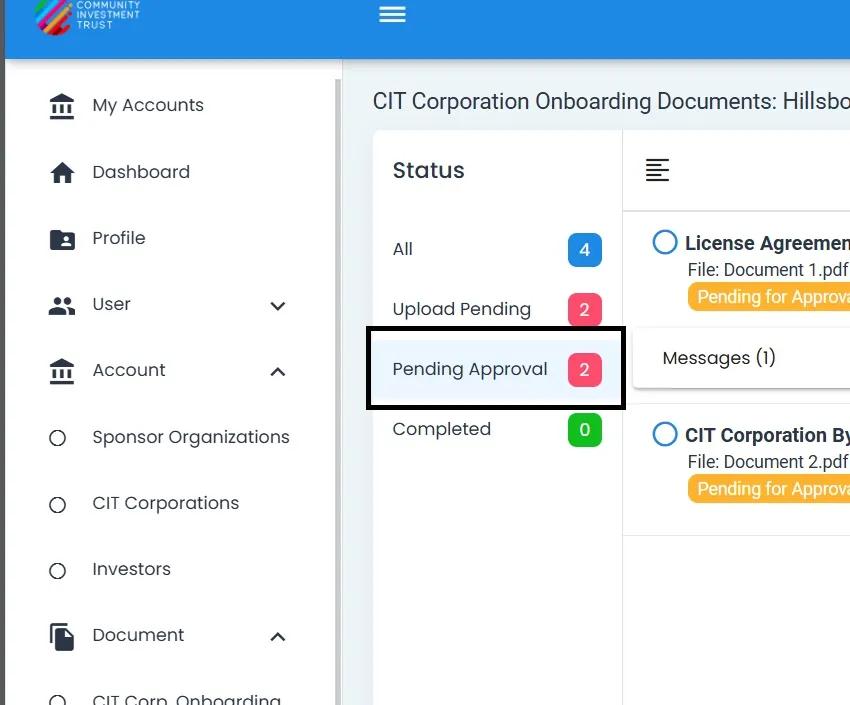
Go to the “Pending Approval” tab.
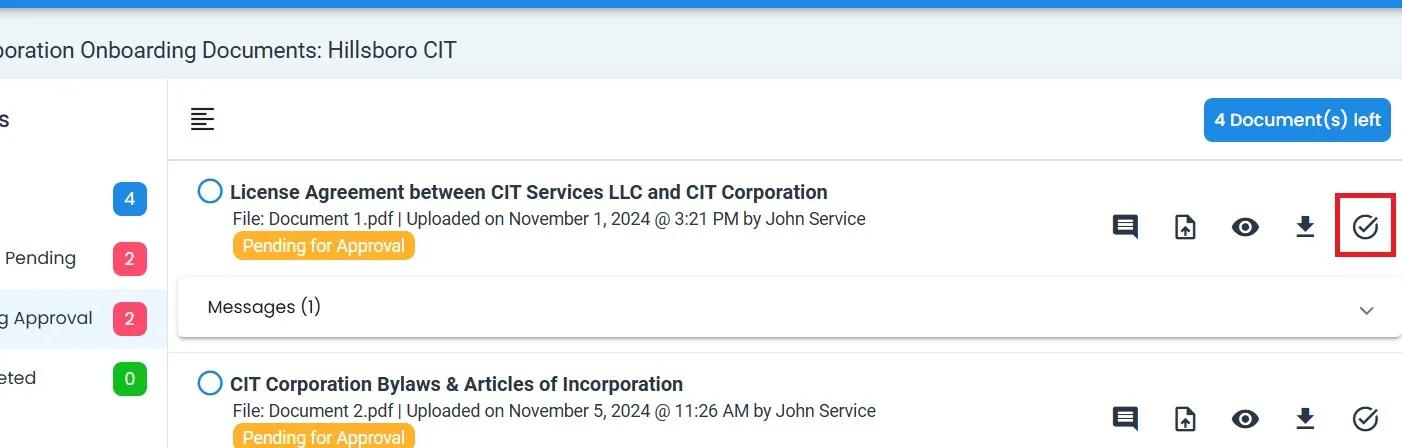
Select the Approve Uploaded Document action.
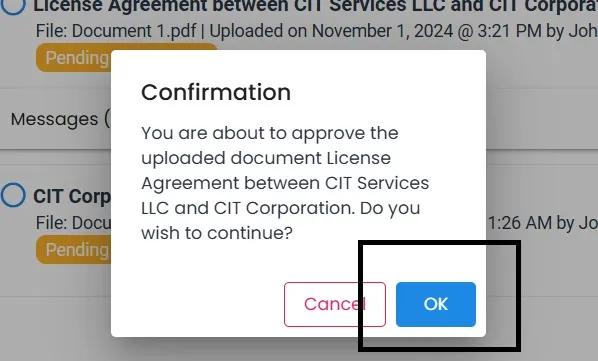
Read Confirmation pop-up, and select “OK” to approve the document.
Action Completed
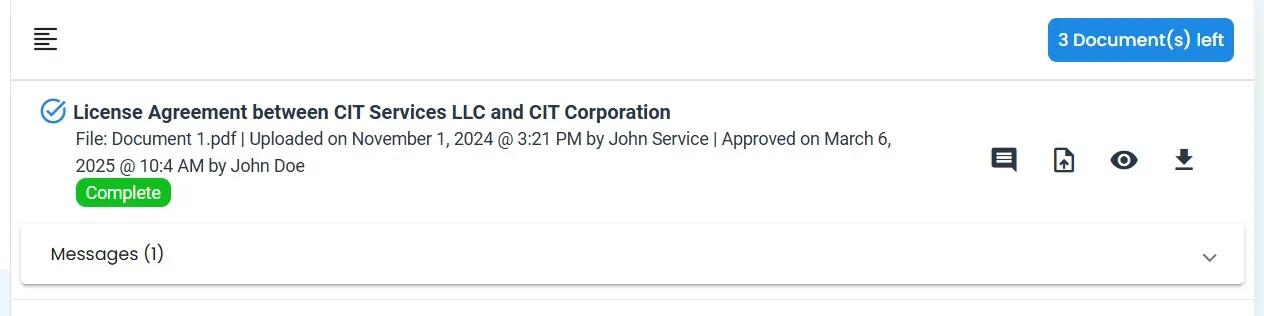
The card for the document that was pending should immediately be moved to the “Completed” tab, like so: