
Adding a New Beneficiary#
To add a new beneficiary to the investor’s account:
Click the plus icon [+] at the top right of the Table: Beneficiaries Table.
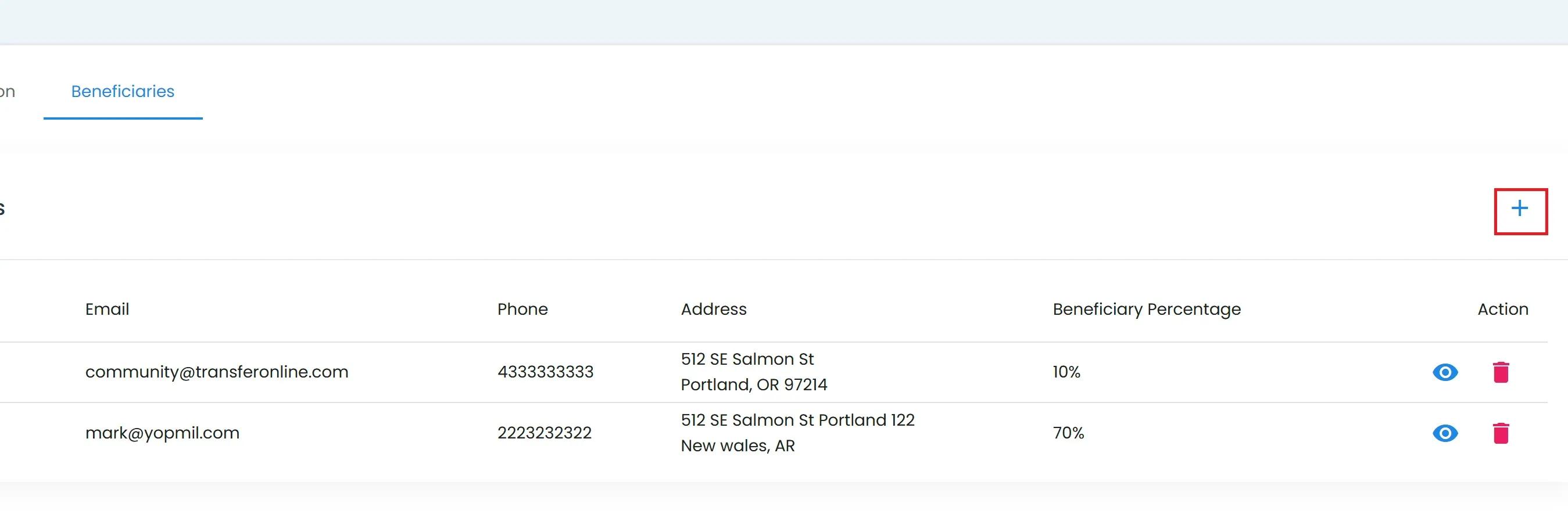
Investor Details, Add Beneficiary Button Location#
The Add Beneficiary popup will appear.
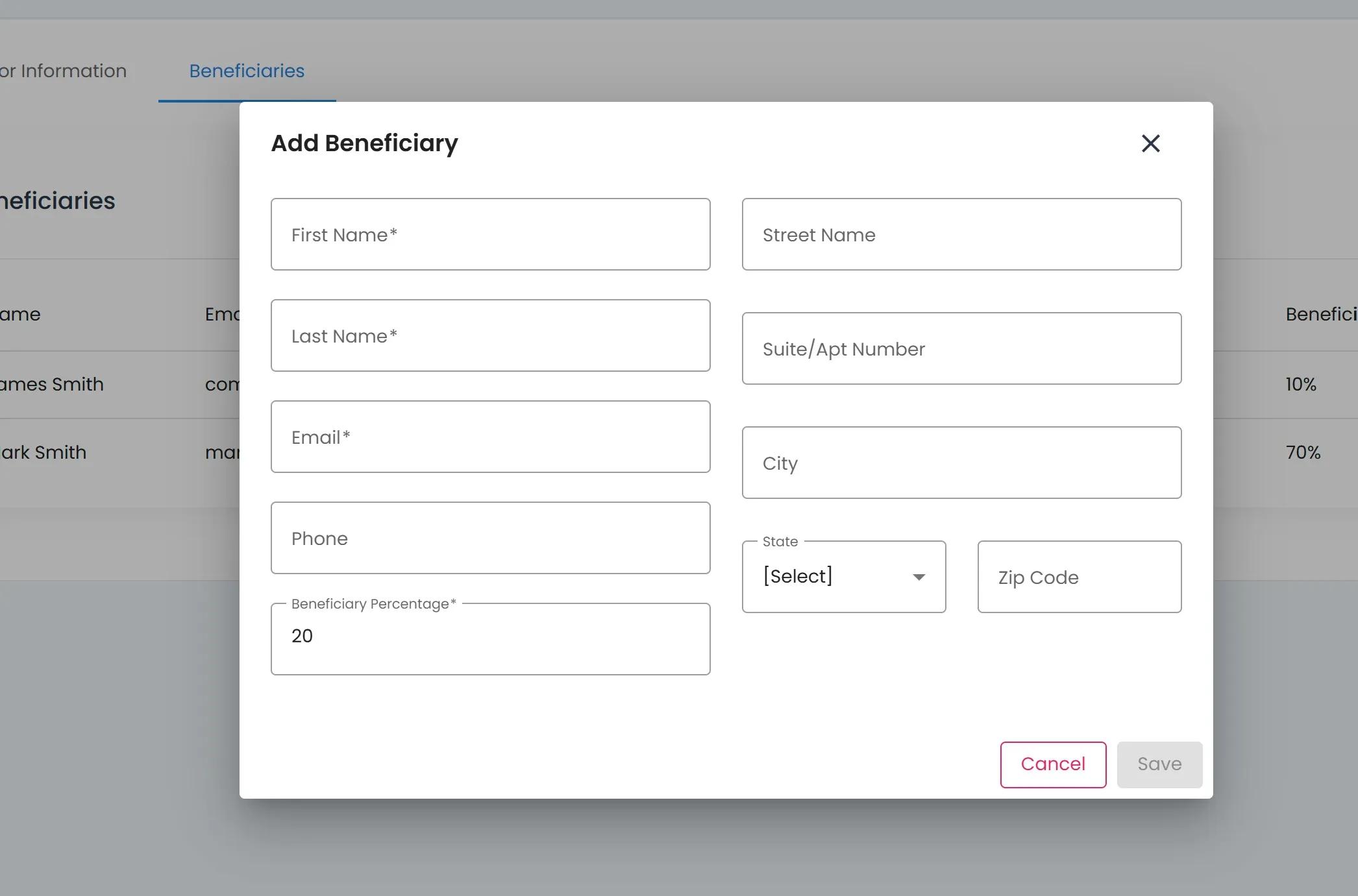
Add Beneficiary Popup#
Place cursor in desired field.
Fill in relevant information.
Possible fields include:
Item Required: First Name (required)
Item Required: Last Name (required)
Item Required: Email (required)
Tab: Phone (optional)
Item Required: Beneficiary Percentage (required)
Tab: Address information (optional)
Fill in necessary information, which can include the following
Click the Save button to add the beneficiary.
Note
The total allocation percentage across all beneficiaries must add up to 100%.